

Introduction
Whether you have just taken delivery of your first laser ablation machine or you are weighing up whether the technology is right for your application, this guide gives you the full operational picture.
It is written for people who want to understand the process properly — not just which buttons to press, but why each stage of the workflow exists and what happens if you skip it.
By the end, you will be able to set up and run a laser ablation system with confidence, from the first safety check through to post-process inspection.
TL;DR
A laser ablation machine is capable of precise, selective material removal — but that precision is only achieved when the system is operated in the right sequence, with the right parameters.
The workflow is logical and learnable. Follow it correctly, and the results are consistent and repeatable.
This article covers:

Safety controls and working environment setup
Workpiece surface inspection and preparation
System power-up and warm-up sequence
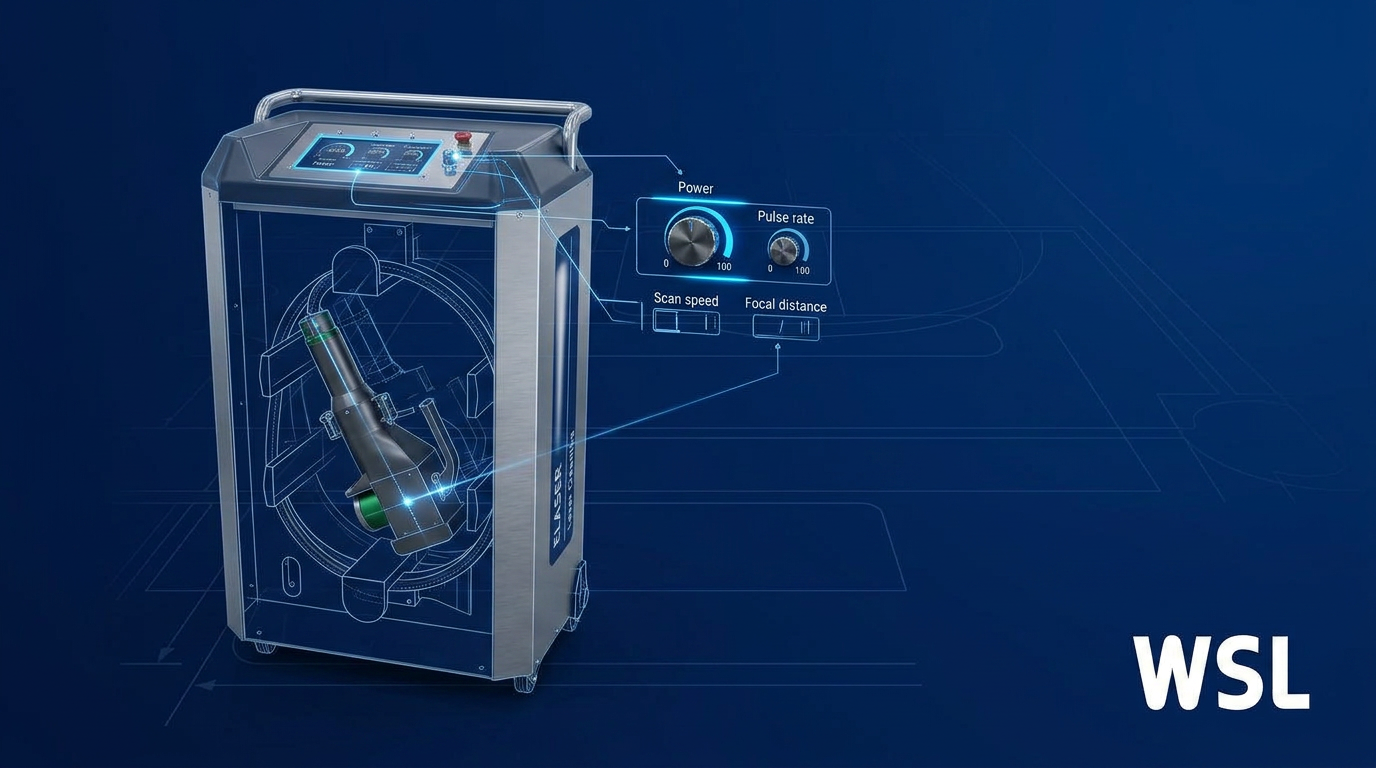
Focal distance, power, pulse rate, scan speed
Running a test pass before the live run
Post-process inspection and result verification
What is a laser ablation machine?
A laser ablation machine directs a focused laser beam at a surface to remove unwanted material — rust, oxides, mill scale, paint, and other contaminants — by vaporising or ejecting it, leaving the base material beneath untouched.
That last point is the critical one: the substrate is left intact, not because the laser is gentle, but because every material has an ablation threshold — a specific energy level above which it ablates.
Contaminants typically have a lower ablation threshold than the substrate underneath them, so correctly configured parameters remove the surface layer without crossing the threshold of the base material.
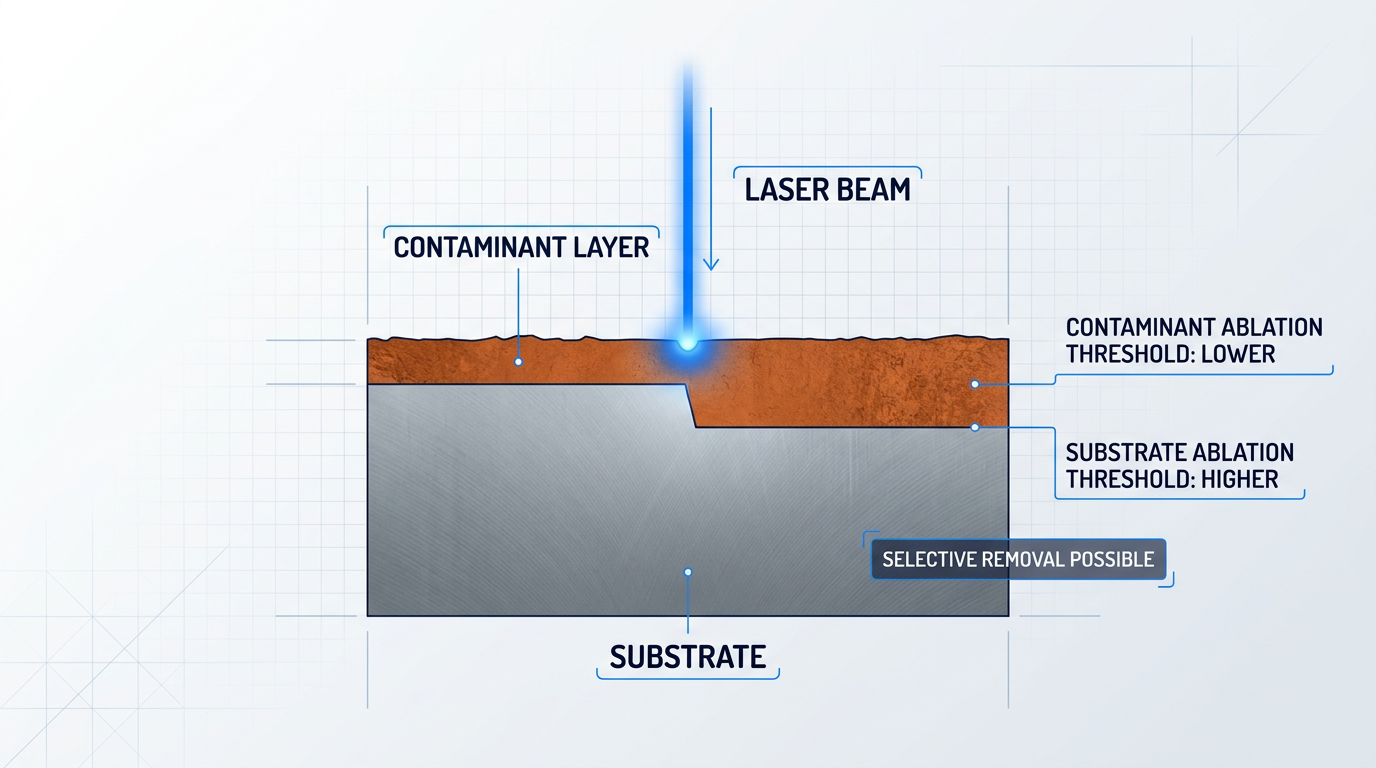
The ablation threshold gap between contaminant and substrate is what makes selective removal possible — but it is correct parameter configuration that keeps the process inside that window.
Set parameters correctly and the laser removes only the contaminant, leaving the substrate intact. Set them wrong, and the selectivity that defines the method disappears.
Because the process uses only the laser beam itself — no abrasive media, no chemical agents — there is nothing to manage or dispose of beyond the extracted fume and particulate.
This guide covers industrial and laboratory fibre laser ablation systems equipped with a galvanometer scanner, which steers the beam rapidly across the work surface to build up the ablation pattern.
Both handheld configurations — where the operator holds and moves the scan head — and fixed-head configurations — where the head is mounted and the workpiece or head moves mechanically — are within scope. The operational logic is consistent across both; the steps will flag where the two require different actions.
Applications and materials this guide covers
The operational workflow described in this guide applies across the following contaminant types and substrate materials.
- Rust and oxide removal: Iron oxide, aluminium oxide, and related surface oxides on metal substrates.
- Mill scale removal: Rolled steel mill scale prior to fabrication, coating, or inspection.
- Paint and coating removal: Single or multi-layer paint, primer, and organic coatings from metal, stone, or masonry.
- General contamination removal: Oils, residues, and surface contaminants across industrial and laboratory applications.
- Substrate materials: Steel, aluminium, cast iron, copper and related alloys, stone, and masonry.
The operational logic is consistent across these applications; what varies is parameter selection, which is addressed in full in Step 5.
Prerequisites before you begin
Before you start any run, several non-negotiable prerequisites must be in place — the steps that follow assume all of these are already confirmed.
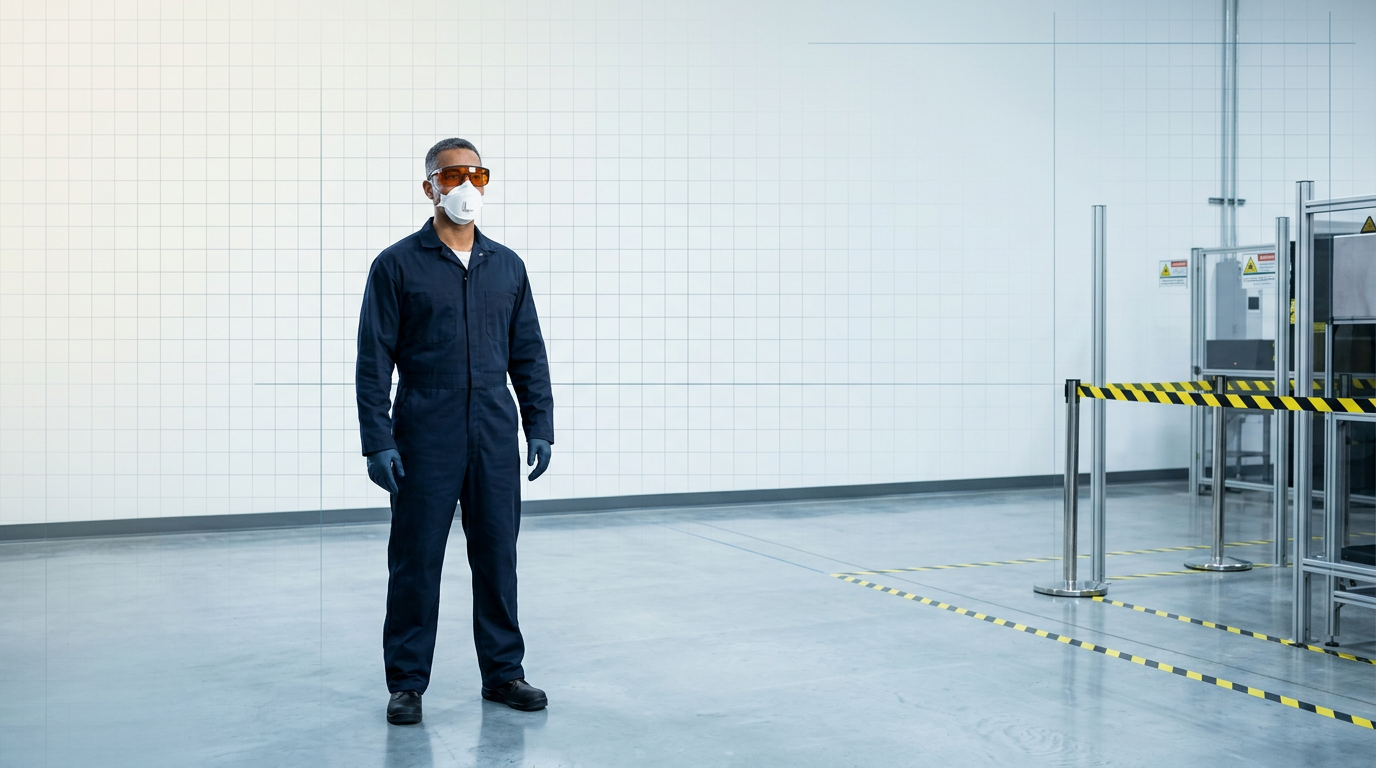
Laser safety eyewear is the first requirement: the eyewear must be rated for the system's specific wavelength and power class, labelled with its optical density (OD) value and wavelength range. ANSI Z136.1 is the governing standard for eyewear OD ratings; OSHA Class IV laser requirements set the broader PPE and controlled-area obligations. Appropriate respiratory protection and skin cover are also required — the specific type depends on what you are removing, and Step 1 covers the selection criteria in full.
Fume extraction is not optional for any application. Laser ablation vaporises contaminants into fumes and fine particulate, and the hazard profile varies significantly by material: rust and oxide removal generates metallic particulate; paint and organic coating removal can produce toxic fumes, particularly from older coatings that may contain lead; galvanised surfaces release zinc oxide fumes, which carry their own specific health risks. Source-capture extraction at the scan head is the recommended approach — the detail on setting this up is in Step 1.
The workpiece must be stable and correctly positioned before the run begins — movement during ablation produces inconsistent results and can compromise the substrate.
Before starting, inspect the surface to identify the contaminant type, estimate its thickness, and note any substrate sensitivities that will affect your parameter choices — this assessment is the foundation of Step 2.
Finally, be aware that the nominal hazard zone (NHZ) — the area within which the beam poses a direct hazard — varies between system types. Some modern systems reduce the NHZ substantially compared to conventional Class IV laser cleaners, which changes how the controlled area must be defined and managed. Step 1 covers controlled-area setup in full.
With these prerequisites understood, Step 1 walks through the complete safety and environment setup sequence before you make any adjustments to the machine.
Step 1
Prepare your safety controls and working environment
Key Insights
Mark the controlled area before operation begins.
Eyewear OD and wavelength must match your system.
Run fume extraction before the laser fires.
Respiratory protection depends on the contaminant type.
Before anything else is touched, the working environment must be configured for safe operation. These checks are performed in sequence — the controlled area comes first, PPE confirmation follows, and extraction is verified last before you clear the area for operation.
- Establish and mark the laser controlled area (LCA): Determine the Nominal Hazard Zone (NHZ) for your specific system using its power output, beam divergence, and wavelength — these variables are system-specific and the NHZ boundary will differ between installations. Once calculated, physically demarcate the controlled area with barriers, curtains, or fixed partitions, and restrict access so that only authorised personnel can enter. Under ANSI Z136.1 and OSHA Class IV requirements, the controlled area must encompass the full NHZ.
- Confirm your laser safety eyewear is correctly specified: Check that your eyewear is labelled with both the optical density (OD) value and the wavelength range it covers. The required OD is system-specific — verify it against your system's documentation rather than assuming a universal figure. OSHA guidance confirms that laser safety goggles must be labelled with the laser wavelengths for which they are intended and the optical density at those wavelengths. Unlabelled or illegibly labelled eyewear must not be used.
- Confirm respiratory protection is matched to the contaminant: The correct respirator depends on what you are removing. For rust, oxides, and inorganic surface contaminants, a high-efficiency particulate filter (P3-class) is the minimum. For organic coatings, paints, or materials of unknown composition, activated-carbon filtration is required in addition to particulate filtration — thermal decomposition of organic coatings generates VOCs, PAHs, and potentially diisocyanates, which particulate filters alone will not capture. Consult your risk assessment and the relevant safety data sheets to confirm the correct specification for your application.
- Switch on the fume extraction unit and verify it is drawing: Turn on the extraction system before the laser fires — not after. Source-capture extraction positioned at or near the laser head is the recommended approach, as capture efficiency drops sharply as the nozzle moves away from the emission point. Confirm airflow is adequate by running a smoke test at the hood; the plume should be drawn cleanly into the capture nozzle with no visible escape into the breathing zone. Filtration should be staged: HEPA for fine particulate, activated carbon for VOCs where organic contaminants are present.
- Clear the area and post warning signage: Ensure no unauthorised personnel are within the controlled area before proceeding. Post ANSI DANGER-format laser warning signs — white background, red laser symbol, black lettering — at all access points to the controlled area. Under ANSI Z136.1 and OSHA Class IV requirements, all personnel entering the controlled area must be trained and provided with appropriate laser protective eyewear.
With these five checks complete, run through the verification cue below before moving to Step 2.
Confirm all five before proceeding: (1) controlled area marked and NHZ established; (2) laser safety eyewear labelled with correct OD and wavelength range; (3) respiratory protection matched to the contaminant type; (4) fume extraction running and drawing at the hood; (5) warning signage posted and area clear of unauthorised personnel. When all five are confirmed, you are ready to move to Step 2.
Step 2
Inspect and Prepare the Workpiece Surface

Key Insights
Identify contaminant type and thickness before configuring parameters.
Fix the workpiece — movement causes uneven ablation.
Note substrate sensitivities before the machine is configured.
With the working environment confirmed safe, turn your attention to the workpiece itself. The quality of an ablation run is largely determined before the laser fires — by how well you understand the surface and how securely the piece is prepared.
Identify the Contaminant
Inspect the surface and identify what you are removing. The main contaminant categories you will encounter are rust, oxides, mill scale, paint, powder coatings, lacquer, primer, soot, carbon deposits, grease, and adhesive residues.
Go beyond naming the contaminant type: estimate its thickness and how firmly it is bonded to the substrate. Thicker, harder-bonded contamination requires more energy per pass than a thin surface oxide layer — this assessment feeds directly into parameter selection in Step 5.
Assess the Substrate Material
Identify the material beneath the contamination. Different substrates respond differently to laser energy — structural steel tolerates more aggressive settings than thin aluminium sections, composite panels, or heritage stonework with existing micro-fractures.
Flag any substrate sensitivities now, before the machine is configured. Discovering them after a test pass goes wrong is a costly way to learn.
Map Surface Features That Complicate the Run
Note any features that will affect how the beam interacts with the surface.
- Edges: Beam energy concentrates at sharp edges — mark these zones for reduced power or adjusted scan speed.
- Recesses and contours: Changes in surface geometry shift the focal distance, which affects ablation consistency across the run.
- Mixed contamination zones: Areas where contaminant type or thickness varies may not respond uniformly to a single parameter set.
- Thinned or damaged areas: Zones where the substrate is already weakened or reduced in section need extra care — note their location before you begin.
These features are not reasons to stop — they are information that shapes how the run is approached.
Remove Loose Debris Before Ablation
Use a brush, compressed air, or a dry wipe to clear loose debris, flaking material, and surface contamination from the workpiece. This is housekeeping, not a substitute for ablation — it removes material that would scatter the beam or obstruct the focal path, not the bonded contamination the laser will address.
Fix the Workpiece Securely
Secure the workpiece so it cannot move during the ablation run. Use clamps, a vice, magnetic fixtures, or a purpose-built jig suited to the geometry of the piece.
Movement mid-pass causes uneven fluence delivery — the beam deposits inconsistent energy across the surface, leaving patchy results that are difficult to diagnose. For handheld systems operating on fixed structures such as pipework or structural steelwork, confirm the structure is stable and your working position is controlled throughout.
The information you gather here — contaminant type, contaminant thickness, substrate material, and any surface sensitivities — is the direct input to parameter configuration in Step 5. Gather it thoroughly now so you are not returning to the workpiece mid-process.
Before moving to Step 3, confirm: the contaminant type and estimated thickness are identified, the substrate material and any sensitivities are noted, loose debris has been removed, and the workpiece is fixed in place. You are ready to power up the system.
Step 3
Power Up the System and Complete the Warm-Up Sequence
Key Insights
Follow the manufacturer's startup sequence exactly.
Don't configure parameters until warm-up is complete.
Keep interlocks active and beam in standby.
Check lens-protection window is clean first.
With the workpiece secured and the controlled area confirmed, you are ready to power on the laser ablation machine for the first time in this procedure. Do not skip or abbreviate the startup sequence — every element exists for a reason.
Class IV laser systems require a structured startup sequence before the beam is ever live. Follow your manufacturer's documented procedure precisely; the steps below describe the general shape of what that sequence involves across industrial fibre laser systems.
- Key switch activation: Turn the master key switch to the ON position. OSHA Class IV requirements mandate a master switch control — key or code — that prevents operation by unauthorised personnel. Only authorised operators hold the key.
- Interlock confirmation: Verify that all safety interlocks are closed and active. Class IV systems must include a remote interlock connector linked to room, door, or fixture interlocks — confirm these are engaged before proceeding.
- Emission warning check: Confirm that the laser activation warning system is functioning. A mandatory audible or visual warning signal must activate on system start-up for Class IV lasers — check that it operates as expected.
- Beam attenuator or standby state: Ensure the beam attenuator or standby mode is engaged. The beam must not be live during warm-up — Class IV systems require a permanently attached beam stop or attenuator capable of reducing output to safe levels when the system is on standby.
Once the startup sequence is complete, the system enters its warm-up period. Laser output power and beam quality are not stable until the laser source reaches operating temperature — firing or configuring parameters before this point means your settings will not reflect actual output.
Warm-up duration varies by system. Consult your manufacturer's documentation for the specified time — do not estimate. While you wait, confirm that fume extraction is still running before the beam goes live.
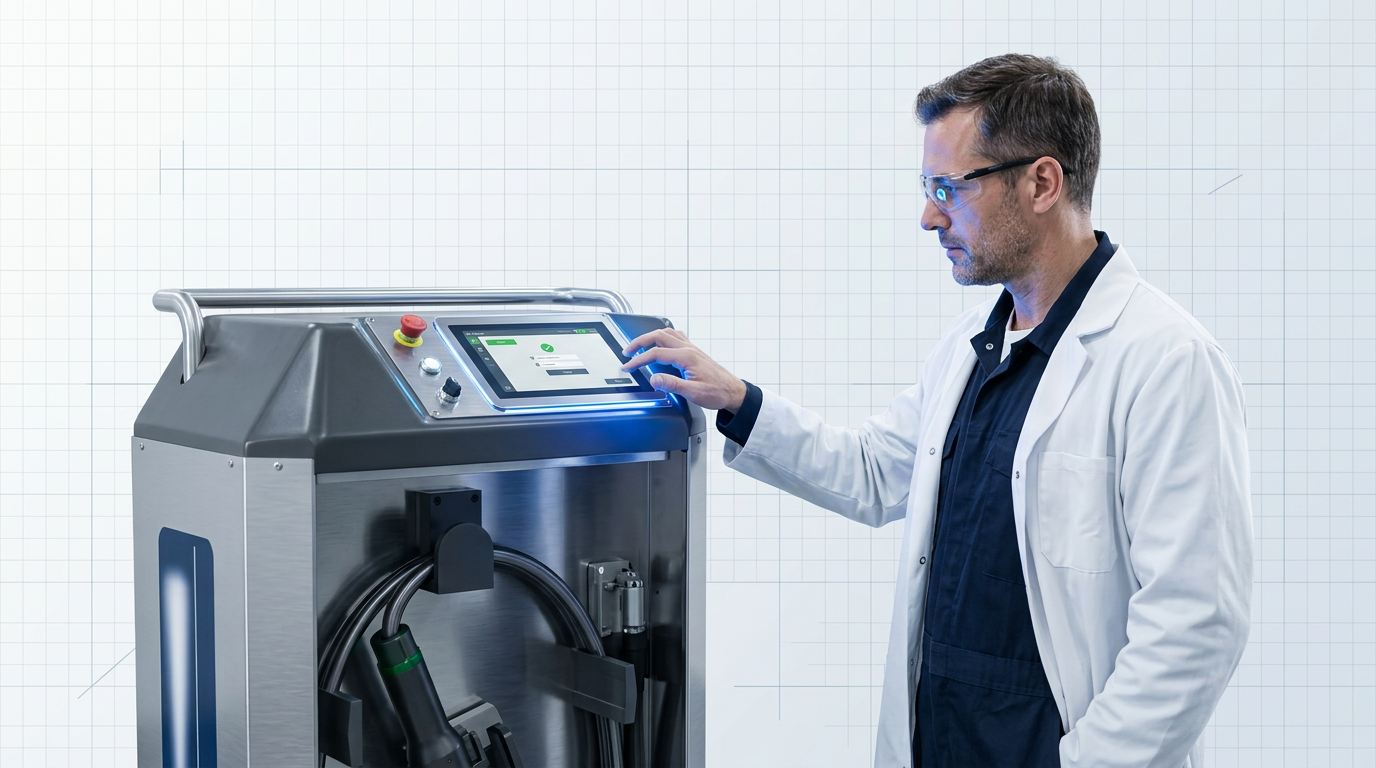
For systems with a touchscreen interface, use the warm-up period to log in with your user credentials and confirm the system status display. Our ELASER system, for example, uses a password-protected touchscreen GUI with per-user logins and a live status display — logging in at this stage confirms the interface is ready and your session is tracked before any parameters are set.
Before the first firing, inspect the lens-protection window. Contamination on the window causes localised heating, thermal distortion, and a shift in the focal point — the result is inconsistent ablation and potential damage to the optic itself. If the window shows contamination or damage, replace it before proceeding.
System status shows stable and ready. Safety interlocks confirmed active. Lens-protection window clean and undamaged. When all three are confirmed, proceed to parameter configuration in Step 4.
See the machines built for this work
Your system is powered up and ready. If you are still deciding which laser ablation machine fits your application, explore the ELASER range to see what is available.
Step 4
Set the Focal Distance
Key Insights
Focal distance sets minimum spot size and peak fluence.
Wrong standoff drops fluence below ablation threshold.
Use the manufacturer's spec for your fitted lens.
Handheld: maintain consistent standoff throughout the run.
Fixed-head: set mechanically, verify with a test pulse.
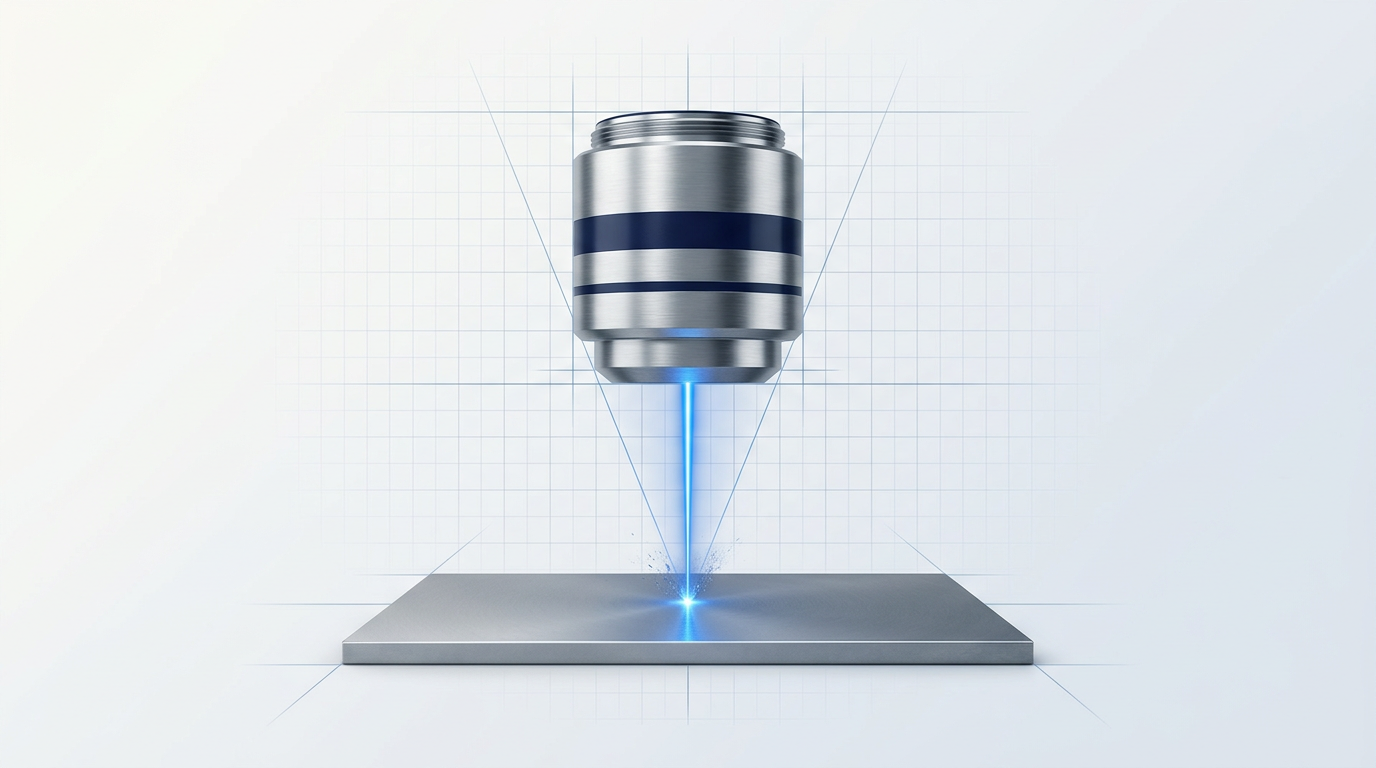
Focal distance is the standoff between the focusing lens and the workpiece surface at which the laser beam converges to its smallest spot size and delivers its highest intensity to the surface.
At this point, fluence — the energy delivered per unit area — is at its maximum, making ablation most efficient and most controlled. Move away from it in either direction, and the beam footprint expands, spreading the same energy over a larger area.
Too far from the surface and peak fluence drops below the ablation threshold, leaving contaminant behind in patches. Too close and the energy concentrates too tightly, risking unintended damage to the substrate beneath. No adjustment to power or scan speed will compensate for a beam that is not properly focused at the surface.
Consult the manufacturer's specification for the lens currently fitted to your system — this gives the correct working distance for that lens.
If your system accepts interchangeable lenses with different focal lengths, note that each lens has its own specified working distance. The correct standoff is lens-specific, not a single fixed value for the system as a whole.
Handheld systems
On a handheld scanner, maintaining the correct standoff is an active, ongoing discipline throughout the entire run — not a one-time setup action.
- Use the standoff guide: If your system includes a physical spacer, distance reference tool, or standoff guide on the scanner head, use it consistently. It exists precisely to keep the working distance constant as you move across the surface.
- Keep movement steady: Wandering distance — the scanner head drifting closer or further from the surface as you work — is a direct cause of uneven ablation. Maintain a consistent grip and pace throughout the pass.
There is a small tolerance window around the focal point within which the beam remains acceptably focused, but do not rely on it as a buffer — consistent standoff is what makes handheld operation reliable.
Fixed-head and gantry-mounted systems
For fixed-head or gantry-mounted systems, set the working distance mechanically: position the head at the correct standoff from the workpiece surface and lock it in place before the run begins.
Once set, fire a brief test pulse onto a scrap surface or non-critical area and confirm that the beam footprint matches the expected spot size for your lens. If the spot is larger than specified, recheck the head position against the manufacturer's working distance before proceeding.
With focal distance confirmed, the optical foundation for the run is in place. You are now ready to move to Step 5 and configure the laser parameters — power, pulse rate, and scan speed — knowing the beam will deliver its energy exactly where intended.
Step 5
Configure Laser Power, Pulse Rate, and Scan Speed
Key Insights
Power, pulse rate, and scan speed: set together.
Fluence must exceed contaminant's threshold, not substrate's.
Start conservative; step up for thicker coatings.
Around 75% pulse overlap is a reliable start.
With the focal distance confirmed and the system ready to fire, you now need to configure the three parameters that determine what the beam actually does to the surface: laser power, pulse repetition rate, and scan speed.
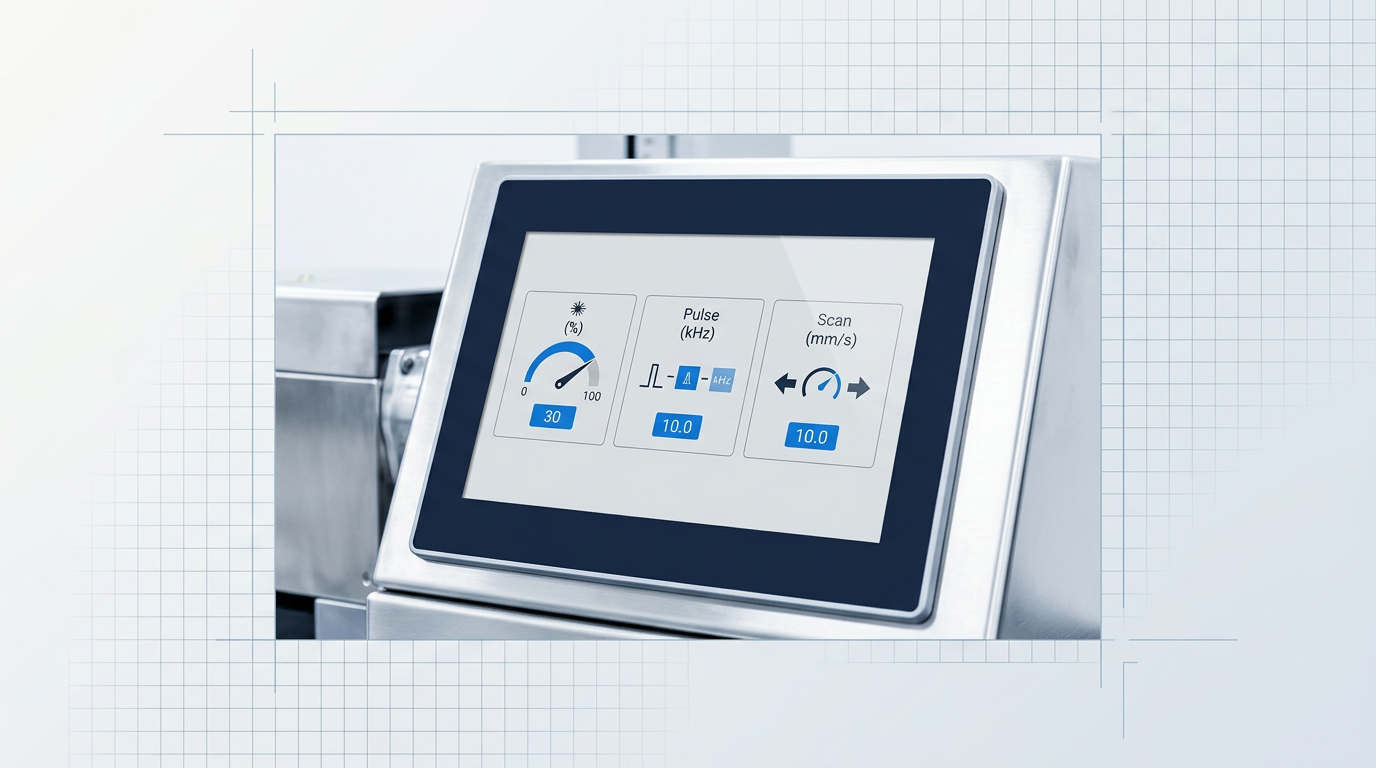
These are not three independent dials — they work as a system. Power sets the energy delivered per pulse. Pulse repetition rate controls how many pulses are fired per second. Scan speed governs how quickly the beam moves across the surface, which determines how closely the pulses land relative to one another.
Together, these three parameters determine the total energy delivered per unit area of surface — a quantity known as fluence. Every material has an ablation threshold: the fluence level above which it ablates. Because a contaminant's ablation threshold is lower than the substrate's, there exists a process window — a range of fluence values that removes the contaminant without touching the substrate beneath. Correct parameter configuration is what keeps you inside that window.
Setting Laser Power
Start conservatively. Modern fibre laser systems offer tunable power across the full 0–100% range, which means a single machine can handle everything from light surface oxides to thick bonded coatings — the difference is where you set the power, not which machine you use.
For sensitive substrates — thin metals, aluminium alloys, heritage stone — begin at the lower end of the power range and step up only if removal is incomplete. For thick paint or hard-bonded coatings such as mill scale, higher power is appropriate from the outset, but heat accumulation still needs to be managed through the other two parameters.
Setting Pulse Repetition Rate
Pulse repetition rate sets how many pulses are delivered per second. Lower frequency means fewer, higher-energy pulses — more aggressive removal per pulse, but more heat deposited per pulse too. Higher frequency means more pulses at lower individual energy — gentler, more controlled removal with less thermal load per pulse.
Neither end of the frequency range is inherently better: the right setting depends on what you are removing and from what substrate. For paint and coating removal on nanosecond pulsed fibre laser systems, a pulse width in the region of 100 ns is widely cited as effective at removing coatings while limiting substrate heating — use this as a reference point when your system documentation allows it, not as a universal rule.
Setting Scan Speed
Faster scan speed reduces the dwell time of the beam on each spot — less energy per area, less substrate heating, but potentially incomplete removal in a single pass. Slower scan speed increases dwell time and delivers more removal per pass, at the cost of greater thermal accumulation.
Scan speed must be balanced against pulse repetition rate to maintain correct pulse overlap. If the beam moves too quickly relative to the pulse rate, successive pulses land too far apart and the surface receives uneven coverage — some areas are ablated, others are not.
A pulse-to-pulse overlap of around 75% — equivalent to a pitch of roughly half the spot radius — is a widely cited starting point for consistent surface coverage and ablation quality. Adjust from this baseline based on your material and the result required.
Use the table below as a starting-point reference when entering your initial parameter values. These are directional settings — your system specification and the specific contaminant thickness will determine the precise values.
| Material / Contaminant | Power | Pulse Repetition Rate | Scan Speed | Notes |
|---|---|---|---|---|
| Light surface oxides on metal | Low | Higher frequency | Faster | Thin contaminant with low ablation threshold — conservative settings reduce substrate damage risk |
| Thick paint or hard-bonded coatings | Higher | Moderate frequency | Controlled (slower) | More energy per area needed; balance against heat accumulation across passes |
| Stone and masonry | Conservative throughout | Moderate frequency | Moderate | Sensitive to thermal shock; use multiple passes rather than a single aggressive pass |
Provides quick-reference starting-point guidance across the three key material axes, allowing the reader to compare power, frequency, and scan speed settings side by side before entering values.
Parameter precision is the mechanism by which a laser ablation machine achieves selective removal: the right fluence removes only the contaminant and leaves the substrate intact. When you understand why each parameter matters and how they interact, you are in a much stronger position to interpret results and make adjustments during the test pass that follows.
Once your starting values are entered and you have a clear rationale for each choice, you are ready to move to Step 6 and validate this configuration with a test pass on a sample or non-critical area.
Step 6
Run a Test Pass on a Sample or Non-Critical Area
Key Insights
Always test parameters before the full workpiece.
Use a coupon or non-critical area only.
Check for full removal, no substrate damage.
Contaminant remains? Increase power or reduce speed.
Substrate damaged? Reduce power or increase scan speed.
With your parameters configured, do not fire the laser at the full workpiece. Run a test pass first — this is standard practice for any competent operator, not a concession to uncertainty.
Parameters that performed correctly on a previous job do not automatically transfer to a new material or contamination type. The test pass is the moment you confirm your settings are inside the process window for this specific job.
Choose your test location carefully — it must genuinely represent the substrate and contaminant combination you are working with.
- Sample coupon (preferred): A coupon of the same alloy and contamination type as the workpiece. This is the best option because it preserves every area of the actual part. A coupon from a different alloy or with a different coating thickness does not give you useful information.
- Non-critical area of the workpiece: An edge, a hidden face, or a zone that will be covered by a fastener, weld, or subsequent coating. Valid when no coupon is available, but choose an area that genuinely matches the surface condition you intend to treat.
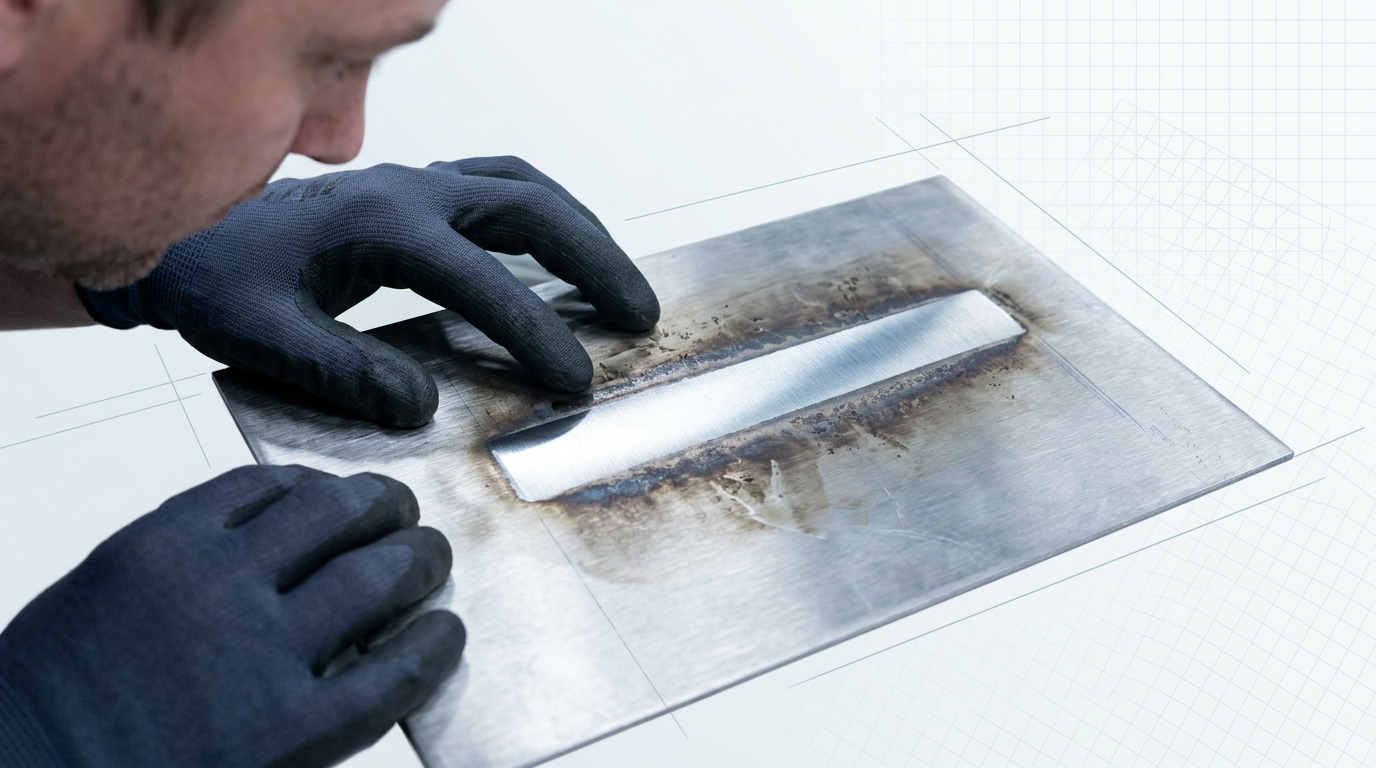
Run a single pass over your chosen test location using the parameters set in Step 5, then inspect the result.
There are three possible outcomes, each with a clear corrective action.
| Outcome | What You See | Corrective Action |
|---|---|---|
| Clean removal | Contaminant fully removed. Substrate surface intact — no discolouration, melting, or pitting. | Parameters confirmed. Proceed to Step 7. |
| Under-ablation | Contaminant remains on the surface, or removal is only partial. | Increase power, reduce scan speed to extend dwell time, or plan a second pass. Adjust one variable at a time. |
| Over-ablation / substrate damage | Substrate shows discolouration, surface melting, pitting, or texture change beyond the contaminant layer. | Reduce power, increase scan speed to reduce dwell time, or reduce pulse energy. Adjust one variable at a time. |
The three test pass outcomes and their corrections are a discrete, comparable set — a table communicates the diagnosis-to-action relationship more clearly than prose or a list alone.
When adjustment is needed, make it on the test area — not on the workpiece. Change one parameter at a time, re-run on the same test location, and inspect again.
Repeat this cycle until you achieve clean removal with no substrate damage. Only then are your settings locked in.
The test area shows complete contaminant removal, the substrate surface is free of discolouration, pitting, and melting, and your parameters are confirmed. Do not begin the live run until all three conditions are met.
Step 7
Execute the Ablation Run
Key Insights
Don't adjust settings mid-run.
Work in systematic overlapping passes, not random.
Stop if smoke enters your breathing zone.
Let surface cool between passes for thick coatings.
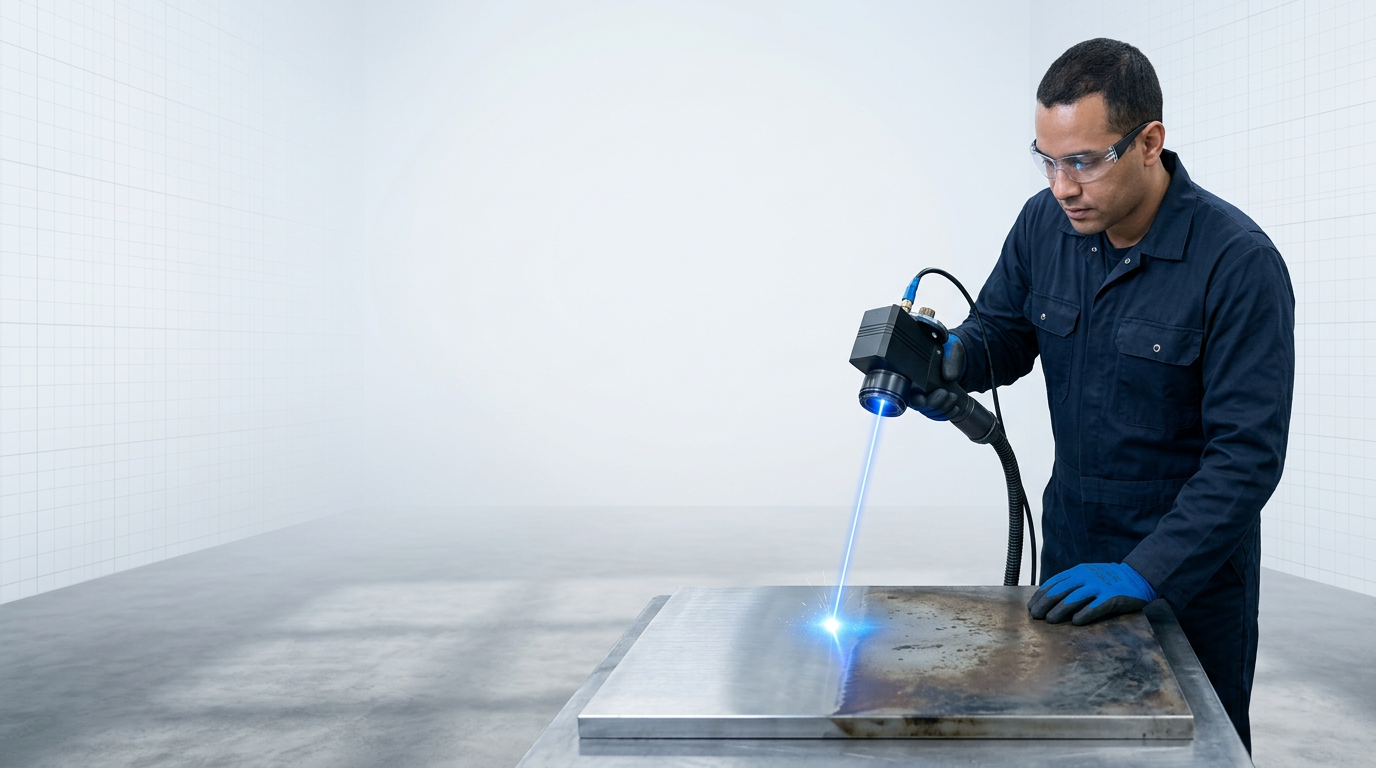
With your parameters confirmed from the test pass, begin the ablation run on the full workpiece. Use exactly the settings you locked in — do not adjust power, pulse rate, or scan speed mid-run unless you observe a clear, immediate problem.
Mid-run changes make it impossible to attribute the final result to a specific set of parameters, undermining your ability to learn from or repeat the run.
- Maintain standoff distance throughout: For handheld systems, keep the scanner at the confirmed focal distance from the surface at all times. Inconsistent standoff defocuses the beam and produces uneven ablation across the workpiece.
- Move at a controlled, consistent rate: Match your hand movement speed to the configured scan speed. Rushing or slowing mid-pass changes the energy delivered to that area relative to the rest of the surface.
- Work in parallel, overlapping passes: Move the scanner systematically across the surface in straight, parallel lines — not in random or circular patterns. Random motion creates gaps and uneven fluence distribution.
- Overlap adjacent scan lines laterally: Each pass must overlap the edge of the previous one. Gaps between adjacent passes leave visible strips of uncleaned surface that cannot be corrected without re-running those areas.
Monitor the ablation plume throughout the run. The extraction system must be capturing it continuously — if smoke becomes visible in your breathing zone, stop the run and reposition the extraction nozzle before continuing.
Watch the surface as you work. Consistent ablation produces a progressive, visible change in appearance as the contaminant is removed. Patchy or uneven results during the run signal a coverage or parameter issue — address it rather than continuing and hoping it resolves.
For thick coatings or heavy contamination, a single pass may not be sufficient. Run additional passes as needed, but allow the surface to cool briefly between each one to avoid heat accumulation in the substrate.
Full surface area covered with no untreated sections remaining. Contaminant visually removed across the entire treated zone. Extraction system has been running throughout the run. When all three are confirmed, stop the laser and proceed to inspection.
Step 8
Inspect the Result and Confirm Completion
Key Insights
Check for full removal and no substrate damage.
Patchy result? Add a pass, adjust parameters.
Record parameters to build your process baseline.
WCA testing confirms cleanliness beyond visual inspection.
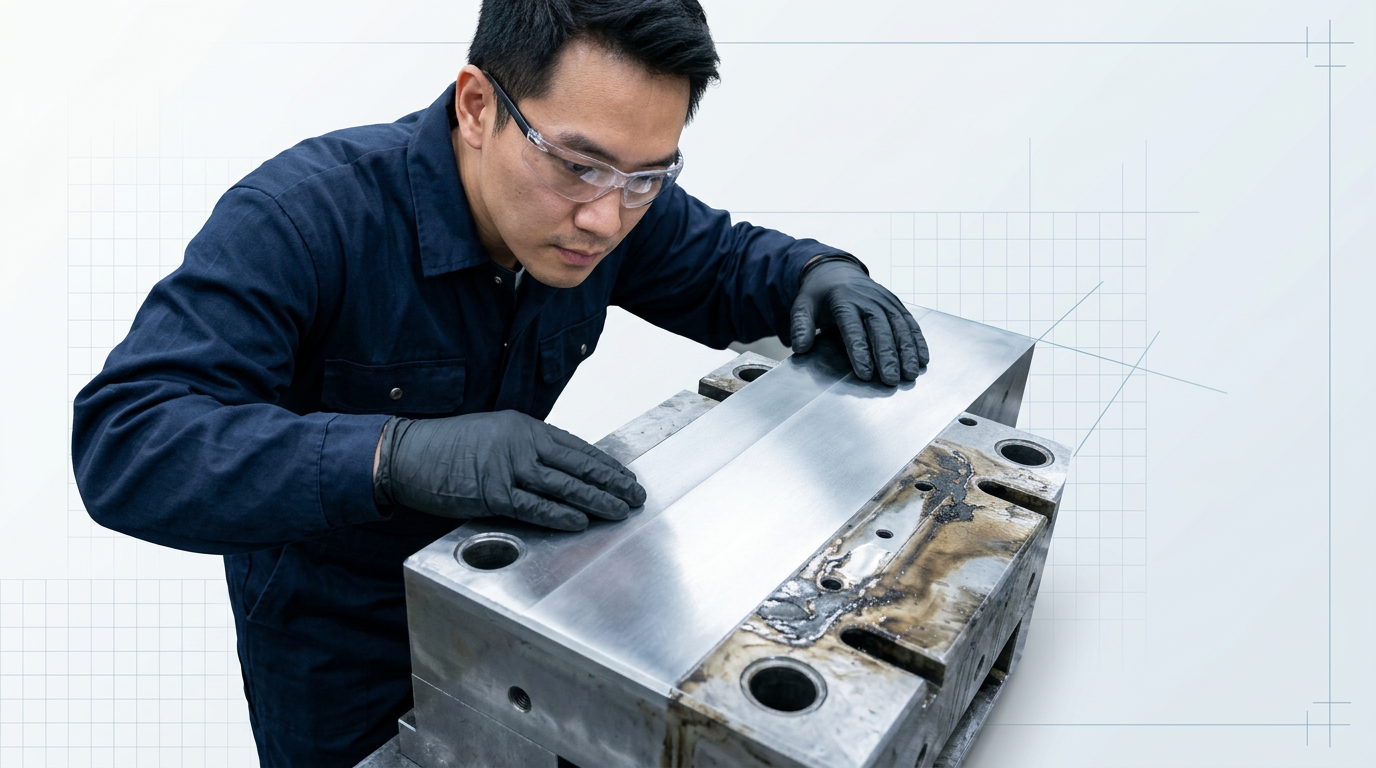
With the ablation run complete, the surface is ready for assessment. This is the professional checkpoint that separates a finished job from a completed run — take a moment to examine the result properly before signing off.
Visual Inspection: What to Look For
Examine the treated surface under adequate lighting, working systematically across the full area rather than spot-checking.
You are looking for three things: complete contaminant removal across the whole surface, a consistent and even appearance with no patchy or untreated zones, and the absence of thermal damage to the substrate.
Thermal damage has specific visual signatures — discolouration beyond the contaminant layer, pitting in the surface, or any visible change to the substrate texture itself. If the base material looks different from how it appeared in the prepared but un-ablated areas, investigate before proceeding.
Diagnosing an Imperfect Result
Most runs on well-configured parameters pass visual inspection cleanly. When they do not, the signs fall into two clear categories.
- Under-ablation: Residual contaminant is still visible, the surface appearance is patchy or inconsistent, or some areas show no change at all. This is common with heavier contamination and is not a procedural failure — run an additional pass using the same parameters or a modest power increase.
- Over-ablation: Discolouration extends beyond the contaminant layer, pitting is present, or the substrate surface itself has visibly changed. Note the parameters used and reduce power or increase scan speed for any subsequent work on the same material. This is exactly the scenario the test pass in Step 6 was designed to catch on a non-critical area first.
Neither outcome requires starting the procedure from scratch — both point to a clear, targeted adjustment for the next pass or the next run.
Objective Cleanliness Verification
For many applications, a thorough visual inspection is sufficient. Where the downstream process demands a verified cleanliness standard — bonding preparation, precision welding, aerospace surface prep — objective measurement tools provide the confirmation that visual assessment cannot.
Water contact angle (WCA) testing is a practical quantitative proxy: a low contact angle on a cleaned metal surface indicates that surface contamination has been removed and the substrate is ready for bonding or coating. A high contact angle suggests residual contamination is still present.
Fluorescence measurement (RFU) offers a further option for quantifying residual organic contamination where even trace amounts are unacceptable. Use whichever method your application's cleanliness specification requires.
For heritage conservation or precision engineering work, post-process inspection may extend to microscopic examination — confirming that no microstructural alteration has occurred at the substrate level. This is standard practice in those domains and your application protocol will specify the appropriate method.
Record the power, pulse rate, scan speed, and number of passes used, along with the result achieved. A documented parameter set for a given material and contaminant combination becomes the ready-made starting point for the next run on the same material — no re-testing required. This is the discipline that turns a one-off operation into a repeatable process.
When the surface meets the required cleanliness standard, no substrate damage is present, and the parameters are recorded, the procedure is complete.
Ready to discuss your application?
You now understand the full workflow. If you want to talk through how a laser ablation machine fits your specific material, substrate, or production context, our team is ready to help.
Conclusion
From setup to verified result
What you've completed here is more than a cleaning run — it's a parameter-driven process, executed in the right sequence, from a controlled environment through to an inspected, documented result.
The surface you're looking at now meets its standard because you understood the variables and managed them — not because the machine made autonomous decisions.
From here, repeated runs on your specific material will sharpen your parameter instincts; for more demanding applications, manufacturer guidance or formal operator training will take you further.
Frequently asked questions about using a laser ablation machine
Common questions about pass count, parameter choices, fume extraction, troubleshooting uneven results, and post-process inspection.
There is no universal number — pass count depends on contaminant thickness and type, power level, and scan speed. A thin surface oxide may lift in a single pass; a thick, hard-bonded coating will require several. Higher power removes more material per pass but increases the risk of substrate damage. Slower scan speed delivers more energy per spot, achieving greater removal in fewer passes but with the same risk trade-off. For thick coatings, multiple passes with brief cooling intervals between them are preferable to a single aggressive high-power pass. This approach gives the operator control and limits heat accumulation in the substrate.
Exceeding the substrate's ablation threshold causes surface discolouration, pitting, or microstructural damage — the contaminant is removed, but so is some of the base material. This damage is often irreversible. The test pass on a non-critical area exists specifically to catch this before it reaches the actual workpiece. If the test reveals substrate damage, reduce power or increase scan speed and re-test before proceeding. Conservative starting parameters and iterative adjustment are standard practice precisely because over-ablation cannot be undone.
No — parameters are material- and contaminant-specific and must be established separately for each combination. Every substrate and contaminant pairing has a different ablation threshold relationship. A setting that selectively removes rust from carbon steel will not be correct for paint on aluminium, which has different substrate sensitivity, or soiling on stone, which has different thermal properties and is far more fragile. Even tasks that look visually similar can require significantly different parameters. The practical rule: always re-test when changing either the substrate material or the contaminant type. The test pass is the mechanism for establishing correct parameters for each new combination — never assume a prior setting transfers.
Patchy results typically have one of four causes. Inconsistent focal distance is the most common on handheld systems — if the standoff varies during the run, the beam defocuses and energy delivery becomes uneven across the surface. Insufficient lateral overlap between adjacent scan lines leaves untreated strips between passes; increasing the overlap percentage resolves this. Scan speed mismatched to pulse repetition rate creates gaps in coverage — if the head moves too fast relative to the pulse rate, pulse-to-pulse spacing increases and the surface receives patchy treatment. Finally, variation in contaminant thickness across the surface means thinner areas clean first while thicker areas require additional passes to reach the same result.
Yes — fume extraction is required for all laser ablation applications without exception. The ablation process vaporises the contaminant into fine particulate and fumes that must be captured at source before they reach the operator's breathing zone. The hazard level varies by contaminant. Rust and oxide removal generates metal oxide particulate, a health hazard at sufficient concentration. Paint removal — particularly from older coatings — can release toxic compounds including lead, chromates, or isocyanates. Galvanised coatings release zinc oxide fumes. Source-capture extraction, positioned at or near the cleaning head, is the standard control for all of these. Check the safety data sheet for the specific contaminant you are removing to understand its hazard profile before starting work.
Laser cleaning is a specific application of laser ablation — the same underlying physical process applied to the removal of surface contaminants such as rust, paint, oxides, and soiling. The two terms are used interchangeably in industrial contexts. Where a distinction is drawn, "laser ablation" is the broader scientific term covering any laser-driven material removal, including micromachining, medical procedures, and analytical sampling. "Laser cleaning" refers specifically to the surface-preparation and contaminant-removal application. In practice, the operational principles in this guide apply equally whether a machine is marketed as a laser ablation system or a laser cleaning system — the physics, parameters, and workflow are the same.
The primary indicator is visual: a uniformly clean surface with no visible residual contaminant and no signs of thermal damage. For applications where cleanliness must be verified objectively, water contact angle (WCA) testing measures surface wettability as a proxy for cleanliness. A low contact angle — around 10° on a metal surface — indicates a clean, oxide-free, contamination-free surface; higher contact angles suggest residual organic contamination is present. The required standard depends on the downstream process: welding and bonding demand a higher cleanliness threshold than aesthetic restoration. Define your acceptance criterion before the run, not after — it determines whether additional passes are needed or whether the result is complete.
Stop the run immediately, switch the system to standby or safe state, and allow it to reach standby before handling the optic. Then replace the lens-protection window before resuming — do not continue with a contaminated window. A contaminated or damaged window distorts the beam, reducing ablation efficiency and causing uneven energy delivery across the scan field. It can also cause the window itself to absorb laser energy and overheat, risking damage to the wider optic assembly. Lens-protection windows are consumable items designed to be replaced — keeping a supply of spares on hand is good operational practice and avoids unnecessary downtime mid-job.