

Introduction
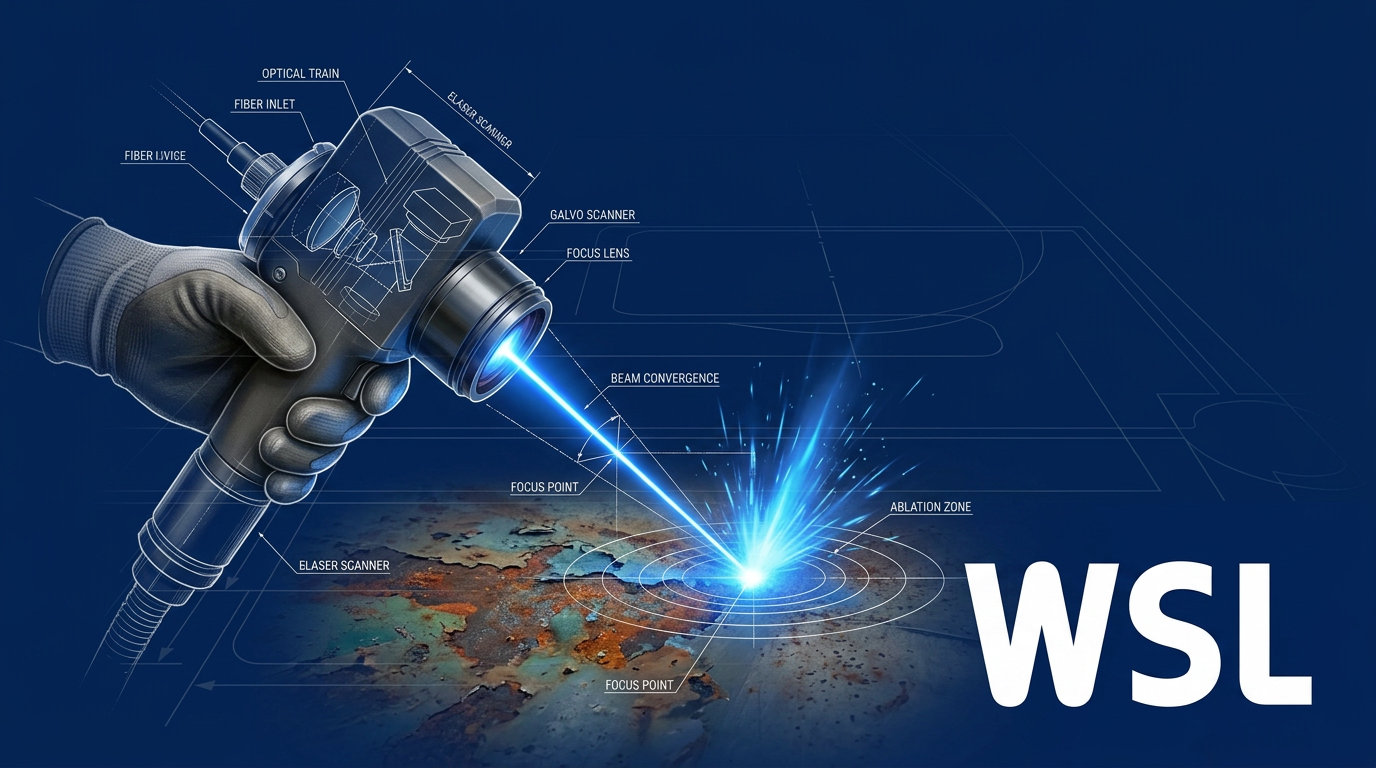
If you have a handheld laser cleaning machine and want to use it properly, this is the tutorial for you.
By the end, you will know how to power up and check the system, dial in the right parameters for your task, clean a surface with sound technique, and confirm the result is actually good before moving on.
This guide assumes you already have a machine, or are about to receive one. It covers operation, not selection — if you are still choosing a unit, this is not the right starting point.
TL;DR
Getting a clean result from a handheld laser cleaner is not simply a matter of pointing and firing. Parameter judgement, standoff discipline, and consistent movement are what separate a precise, even clean from a scorched or half-finished surface.
Knowing when to adjust mid-job — and how to confirm the surface is genuinely clean — is what the steps below are built around.
This article covers:

Powering on and running system checks
Configuring power, frequency, and scan pattern
Standoff distance and scanner positioning
Movement technique and pass overlap
Adjusting settings for contaminants and substrates
Verifying the clean and shutting down safely
What You Need Before Using a Handheld Laser Cleaning Machine
Most laser cleaning errors — degraded results, near-misses, equipment faults — trace back to skipped preparation, not poor technique. What follows is not a compliance checklist; it is the practical groundwork that every competent operator completes before the beam fires.
Personal Protective Equipment (PPE)
Laser-rated eye protection is the single non-negotiable item for Class IV handheld operation. Standard safety glasses offer no meaningful protection — the eyewear must be matched to the machine's specific wavelength and rated to an appropriate optical density (OD).
OD quantifies how much the lens attenuates the beam: an OD of 4 reduces transmitted intensity by a factor of 10,000. For Class IV operation, where even a momentary direct or reflected exposure can cause immediate and permanent retinal damage, the correct OD is not optional — it is the difference between a safe session and a medical emergency. OSHA STD-01-05-001 and CDC/NIOSH guidance both identify wavelength-matched, OD-appropriate eyewear as the primary personal control for Class IV laser work.
Beyond eye protection, wear close-fitting, non-reflective clothing and appropriate gloves to guard against incidental beam exposure at the scanner head during handheld operation.
Workspace Preparation
Before the machine is switched on, clear the working area of reflective surfaces — polished metals, mirrors, and glass — and remove any flammable materials. Both categories create active hazards once the beam is live.
For standard Class IV operation, a defined laser hazard zone must be established and access restricted while the beam is active — unauthorised personnel cannot enter the working area during a cleaning session.
The ELASER-RHZ changes this picture significantly. WSL's patented reduced hazard zone technology — a world first — collapses the hazard area to a small zone immediately around the work surface. The practical result: cleaning can proceed in open workshops, mixed-use facilities, and public-facing environments without sealing off the surrounding area or halting adjacent operations.
With a conventional Class IV laser cleaner, the entire working zone must be evacuated and controlled before the beam fires. The ELASER-RHZ's patented reduced hazard zone confines the hazard to the immediate work area — fundamentally changing what workspace preparation looks like and where the machine can be deployed.
Ventilation and Fume Extraction
Laser ablation generates a concentrated point-source of airborne contaminants: fumes, fine particulates, and VOCs that vary with the material being removed. This is a primary control requirement, not a secondary concern.
Local exhaust ventilation (LEV) — positioned close to the point of generation — is the correct approach. General dilution ventilation (opening windows, running room fans) disperses contaminants rather than capturing them at source; HSE HSG258 is explicit that dilution ventilation is insufficient as the primary control for point-source contaminant generation. LEV captures the plume before it enters the operator's breathing zone.
Position the LEV capture hood as close to the ablation point as the work allows, and confirm it is running before the first pass. HSE INDG408 provides practical guidance on LEV positioning and flow rates for this type of application.
Machine Orientation: Key Components
Before working through the steps, build a clear mental map of the four components you will interact with throughout the session.
- The wheeled unit: The main body of the system — houses the laser source, cooling, and power supply. The whole system weighs under 50 kg and moves on wheels.
- The handheld scanner: The part you hold and manoeuvre over the surface. At under 3 kg, it is designed for single-operator use across extended working distances.
- The delivery cable: Carries the laser beam from the wheeled unit to the scanner. With up to 50 m of reach, it determines your working radius from the unit.
- The touchscreen interface: The GUI on the wheeled unit through which you manage settings, log in, and monitor system status throughout the session.
The touchscreen interface uses password-protected, per-user logins — you will need your credentials before the machine will operate. The cable reach of up to 50 m means the unit can remain stationary while you work across a large area or structure.
Pre-Start Checks
With PPE on and the workspace prepared, run through these checks before powering on.
- Lens protection window: Confirm it is clean, undamaged, and correctly seated in the scanner head. A fouled or cracked window degrades beam quality and cleaning performance immediately.
- Cable connections and routing: Check that all connections are secure and that the delivery cable has no kinks or tight bends along its run.
- Machine stability: Confirm the wheeled unit is on a stable, level surface and will not shift during operation.
- Power supply compatibility: The ELASER accepts 110–250 VAC single-phase — verify the supply at your location before connecting.
The lens protection window check is worth ingraining as a habit: it takes seconds and prevents the most common source of degraded cleaning output. You will inspect it again at shutdown, but catching a problem before the session starts saves wasted passes on the workpiece.
With these preparations complete, you are ready to power on and run the system's startup checks — covered in Step 1.
Step 1
Power On and Run System Checks
Key Insights
Connect to 110–250 VAC single-phase power supply.
Log in with your own operator credentials.
Verify system status shows no fault conditions.
Confirm lens protection window is correctly seated.
Connect the machine to a compatible power supply — the unit accepts 110–250 VAC single-phase, so a standard industrial socket will suffice in most facilities.
Before powering on, physically confirm the delivery cable is fully seated at both ends: check the connector at the wheeled unit and again at the scanner head. A loose connection at either end will prevent the system from initialising correctly.
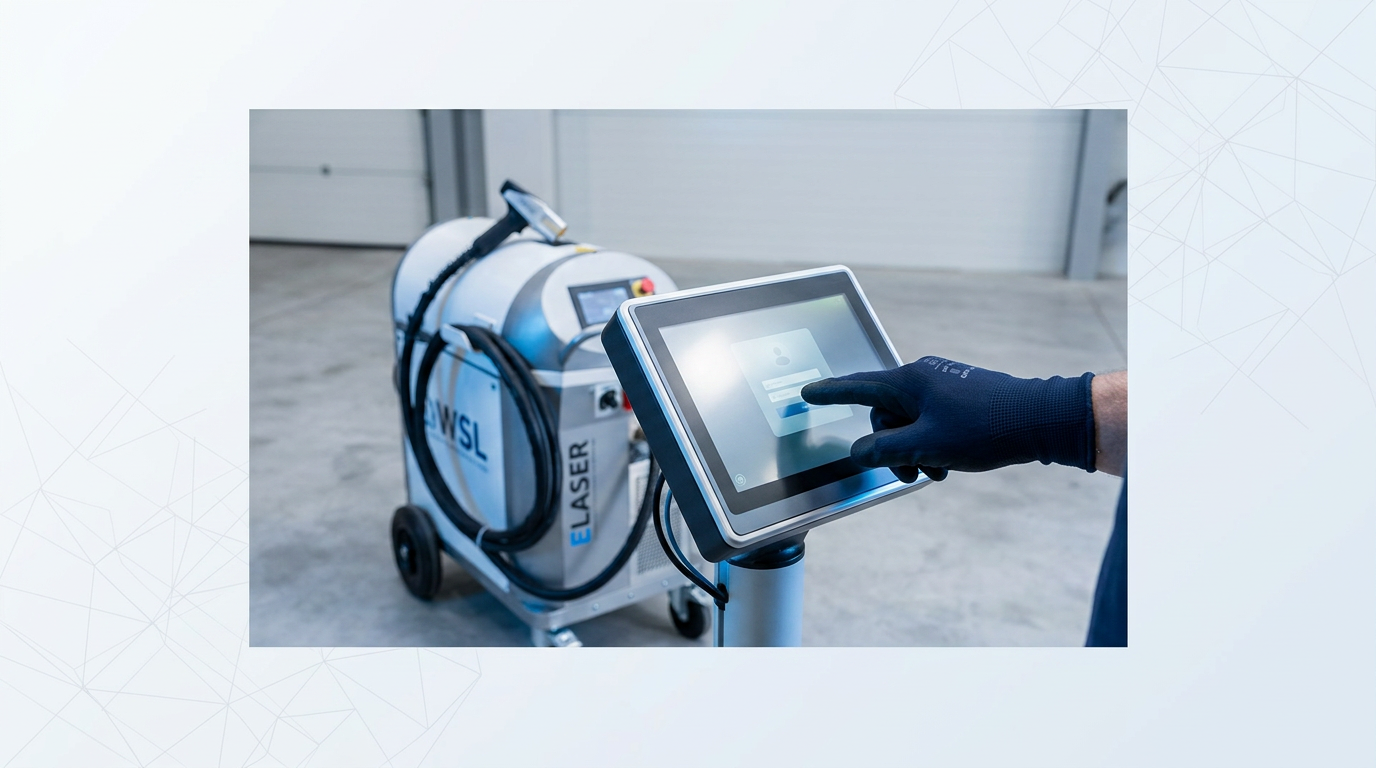
Power on the unit using the main power control. The touchscreen GUI will initialise and present the login screen — this is the interface you will use throughout the entire procedure.
Log in using your own operator credentials. The touchscreen uses password-protected, per-user logins, and each session is tracked against the individual account — which is why shared credentials are not appropriate.
Once logged in, check the system status display. Verify it shows a ready or active state with no error indicators before proceeding. If the display shows any fault condition, do not continue — resolve the fault first.
As the final physical check before the beam path becomes active, confirm the lens protection window is correctly seated in the scanner head. This is a seating check, distinct from the condition check completed during pre-start preparation.
The touchscreen shows a ready or active state with no error indicators, the scanner is connected at both ends of the delivery cable, and the cable has no kinks or visible damage. Only then should you move to Step 2.
Step 2
Configure Laser Parameters for Your Task
Key Insights
Always start at lower power and step up.
Heavy contamination needs higher power or more passes.
Test on a hidden area before full surface.
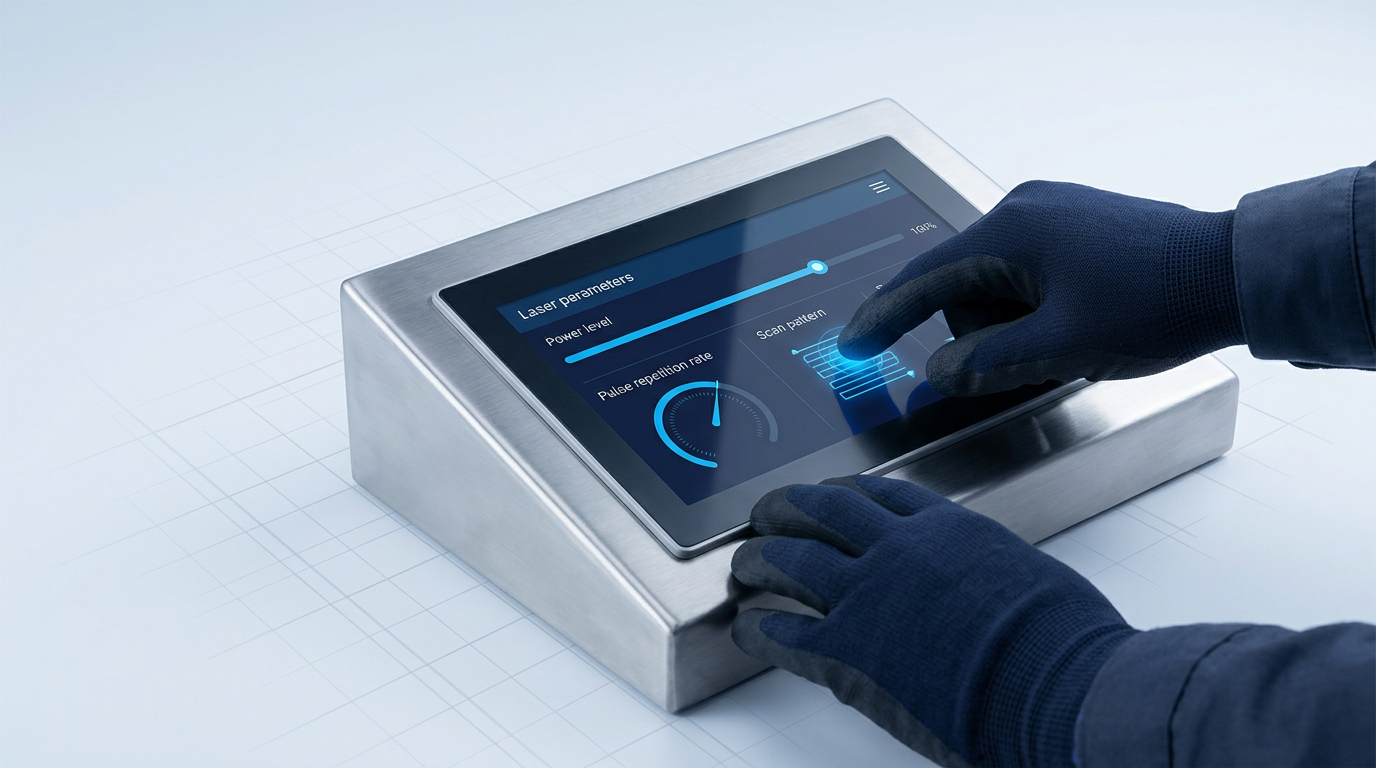
With the system confirmed ready from Step 1, you are now at the touchscreen GUI — the control surface through which every parameter in this step is set. Do not engage the trigger until all three parameters below are configured and verified.
The Three Parameters to Set
Start with power level. The ELASER's fibre laser is tunable from 0–100% of its full 300 W output, and this range is what gives you the flexibility to span everything from light surface oxides through to thick coatings on a single machine.
Higher power removes more stubborn contamination; it also brings the beam closer to the point where it begins to affect the base material rather than just the contaminant. Set power via the touchscreen — and start lower than you think you need.
Next, set the pulse repetition rate, adjustable up to 200 kHz. Think of this as a dial between a concentrated punch and a gentle sweep.
- Lower frequency: Concentrates more energy per pulse — a harder, more aggressive impact per hit. Use this for stubborn contaminants like thick rust or mill scale.
- Higher frequency: Spreads energy more gently across the surface — a lighter, more diffuse effect. Use this for sensitive surfaces or light contamination such as surface oxides or oil.
Finally, select a scan pattern. The ELASER's 2-D galvanometer scanner supports fully programmable scan shapes through the GUI — choose a wider pattern for large flat areas and a tighter or narrower pattern for detail work, edges, or confined geometry.
Always begin at a lower power setting than you expect to need. The beam is designed to stop at the base material once the contaminant is cleared, but that precision depends on parameters being correctly matched to the job. Starting conservative and stepping up is how skilled operators find the right threshold without risking the substrate.
The right starting point depends on what you are cleaning and what you are cleaning it from. Use the contamination type as your guide.
| Contamination type | Starting power guidance | Pulse rate tendency |
|---|---|---|
| Light contamination (surface oxides, oil, grease) | Lower end of range — these contaminants have relatively low removal thresholds | Higher frequency for a gentler sweep |
| Heavy contamination (thick rust, mill scale, heavy paint) | Higher power or multiple passes may be required | Lower frequency for a more concentrated impact |
Presents the power-level spectrum across contamination types in a scannable format — more useful than prose for an operator making a quick pre-job decision.
Substrate material matters as much as contamination type. Aluminium, copper, and other non-ferrous metals are more sensitive to the beam than steel — the gap between the contaminant's removal threshold and the substrate's own threshold is narrower, so there is less room for error.
For non-ferrous substrates, apply more conservative settings than you would for steel, and step up incrementally if the result requires it. Step 5 covers substrate-specific adjustment in detail.
Verify Before Committing to the Full Surface
Once your parameters are set, they are saved and displayed on the touchscreen. Before working the visible surface, do a brief test pass on a low-visibility area of the workpiece — an inconspicuous corner, an underside, or a masked section.
Inspect the result. If the contaminant is clearing cleanly without any sign of substrate effect, your settings are dialled in. If not, adjust power or frequency and test again. Only when the test pass confirms the intended result should you proceed to Step 3.
See the Machine Behind the Parameters
Now that you know how to configure power, frequency, and pulse width, explore the ELASER's full spec sheet to see how those settings map to real machine capabilities.

Step 3
Position the Scanner and Set Standoff Distance
Key Insights
Standoff distance depends on which lens is fitted.
Test pulse confirms the beam spot is focused.
Hold the scanner perpendicular to surface by default.
On curved surfaces, adjust standoff as geometry changes.
With your parameters set, the next task is purely physical: establish the correct relationship between the scanner and the workpiece before you pull the trigger.
Understand Standoff Distance
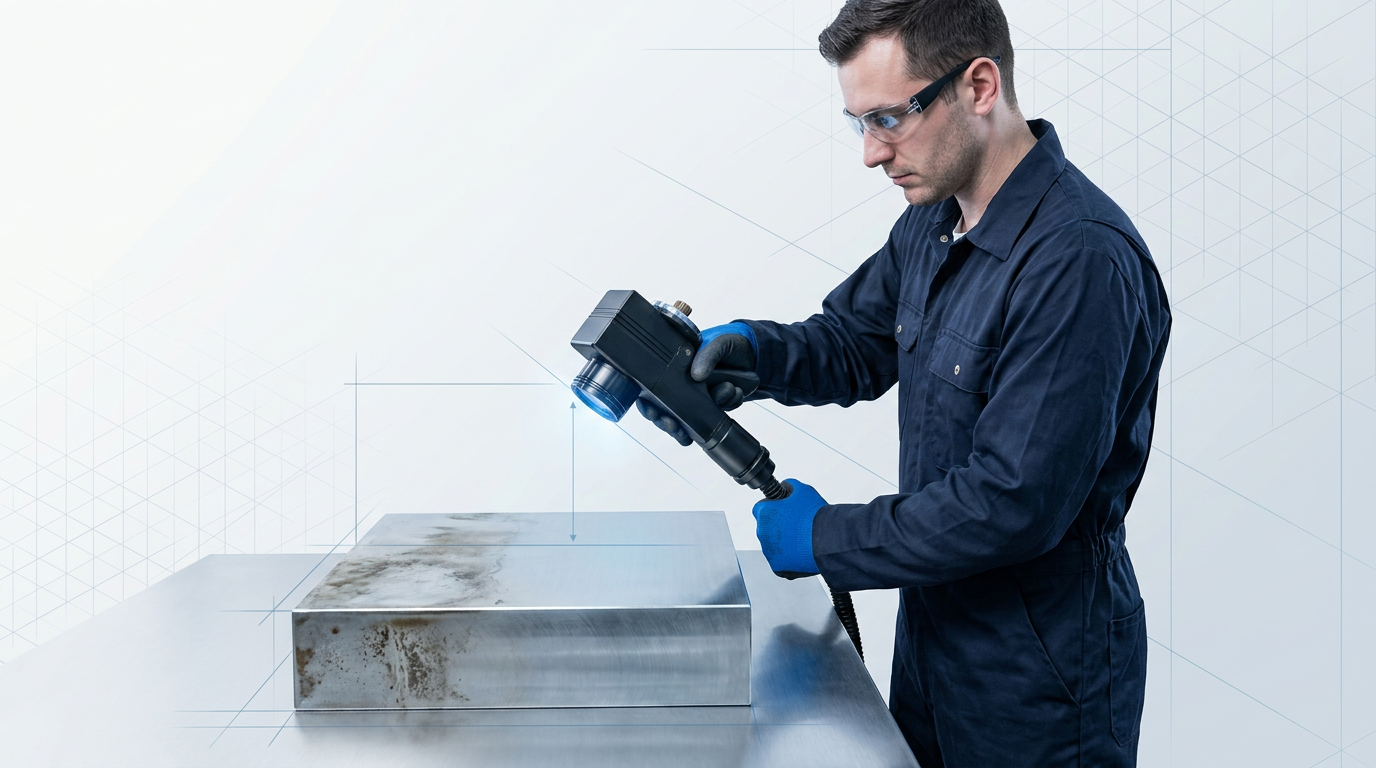
Standoff distance is the gap between the scanner's lens and the workpiece surface.
The beam is only in focus at one specific distance — hold the scanner too close or too far and the focused spot degrades, cleaning effectiveness drops, and energy is deposited unevenly, which can damage the substrate.
Confirm Your Lens Working Distance First
The ELASER uses interchangeable F-Theta lenses with working distances spanning 75–500 mm across the lens set — the correct standoff for your session depends entirely on which lens is fitted.
Before positioning the scanner, confirm the specification of the fitted lens so you know the target distance you are working to.
Find the Correct Distance: Test Pulse Method
The most reliable way to verify your standoff is a brief test pulse on a low-visibility area of the workpiece or a scrap piece of the same material.
- Position the scanner at the approximate working distance: Hold the scanner at roughly the target distance specified for your fitted lens, perpendicular to the surface.
- Fire a short test pulse: Trigger a brief pulse and observe the resulting spot on the surface.
- Read the spot quality: A correctly focused beam produces a crisp, defined spot. A defocused beam — too close or too far — produces a diffuse or asymmetric spot. Adjust your distance and repeat until the spot is clean and uniform.
This verification step takes seconds and removes any guesswork about whether the beam is in focus before you begin cleaning.
Beam Angle: Hold Perpendicular as Your Baseline
Hold the scanner at 90° to the surface as your default — perpendicular is the position that delivers maximum energy density at the workpiece.
- Slight angles (up to ~15°) are acceptable: A shallow deviation can sometimes help graze surface contaminants. Deviate only when the workpiece geometry requires it.
- Steep angles degrade performance: The beam scatters across a larger area, energy density drops, and cleaning efficiency falls. Return to perpendicular whenever possible.
On curved or irregular surfaces, keep your wrist and elbow relaxed so the scanner can track the contour smoothly — a locked arm makes it difficult to maintain consistent standoff as the surface geometry changes.
When the beam spot is crisp and uniform and the scanner feels stable at the working distance without strain, your position is confirmed. Move to Step 4.
Step 4
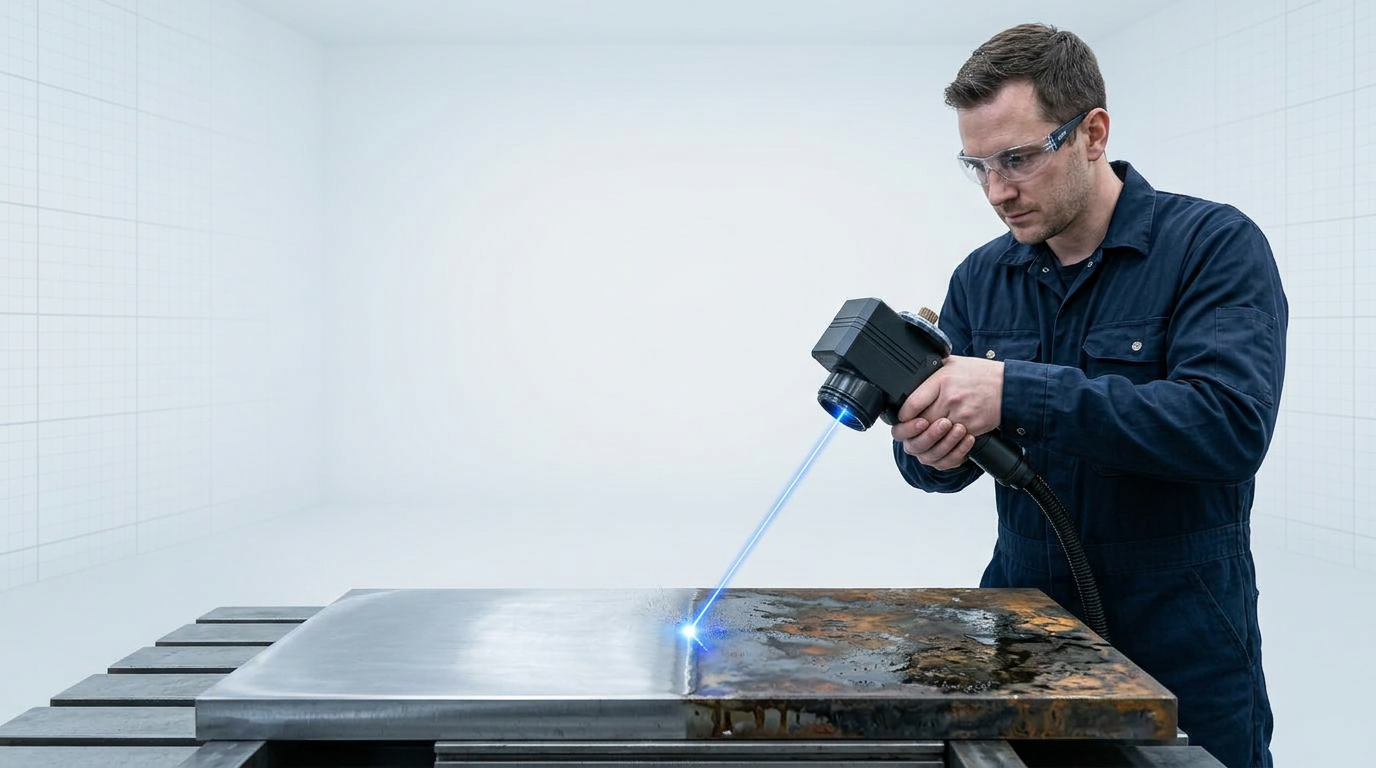
Apply the Beam: Movement Technique and Overlap
Key Insights
Work in parallel passes, not random.
Too slow scorches; too fast leaves residue.
Overlap adjacent passes by 10–20% of scan width.
Inspect after each pass before adding another.
With the scanner correctly positioned at standoff distance, you are ready to begin cleaning. The quality of your result from this point depends almost entirely on two things: movement pattern and hand speed.
Work in Consistent Parallel Passes
Move the scanner in straight, parallel strokes across the surface — left-to-right, top-to-bottom, or whichever axis suits the workpiece geometry.
Random or circular movements cover ground non-uniformly, leaving patches of uncleaned surface that are difficult to spot until the job is done. Parallel passes are the professional baseline because they guarantee every area of the surface receives the same exposure.
Find a Rhythm and Hold It
Hand speed is the single most consequential variable in your technique. Move too slowly and you concentrate energy on one spot, risking scorching or discolouration of the substrate beneath the contaminant. Move too quickly and you leave residue behind — the beam passes before it has done its work.
The goal is a consistent pace held from the start of each stroke to the end. Do not accelerate out of the beginning of a pass or slow down as you approach the edge — both introduce uneven cleaning within a single stroke.
There is no universal correct speed; it depends on power setting, contaminant thickness, and scan width. Develop a feel for it on a test area first, then hold that rhythm throughout the job.
Overlap Adjacent Passes by 10–20%
Each new pass should overlap the previous one by approximately 10–20% of the scan width you configured in Step 2. That scan width is your reference — use it to judge how far to step across before starting the next stroke.
Under-lapping leaves a visible strip of uncleaned surface between passes: a thin, darker line running parallel to your strokes. If you see these strips, step back and re-run those areas with corrected overlap before moving on.
Inspect Before Adding a Second Pass
Most contaminants lift cleanly in a single pass at correctly configured settings. Thick mill scale or heavy rust may need a second pass, but always inspect the first result before running another.
Over-processing a surface that is already clean wastes time and can affect the substrate. Run one pass, check the result, then decide — do not add passes automatically.
Manage the Cable During Movement
The delivery cable gives you significant reach across a workpiece, but keep slack in the cable close to the handpiece at all times. Allowing tension to build through the cable as you move transfers load into your grip and disrupts the smooth, even stroke that good technique requires.
Periodically reposition your cable hand to maintain a loop of slack near the scanner rather than dragging the cable taut behind you.
Use Shoulder Movement, Not Wrist
For long passes, keep your elbow close to your body and drive the movement from your shoulder. Wrist-driven strokes introduce a natural arc, which gradually shifts the scanner's distance from the surface as the pass progresses.
Shoulder-driven movement keeps the scanner at a more constant distance throughout the stroke — which directly preserves the standoff you established in Step 3 and maintains consistent cleaning across the full length of each pass.
A correctly cleaned area shows a clear visual change from the surrounding surface: a metallic sheen, a colour shift, or a texture difference depending on the contaminant. Within the cleaned band, there should be no residual dark patches or streaking. Use this visual contrast as your pass-by-pass confirmation before moving on — if the change is absent or patchy, the pass needs to be repeated.
Step 5
Adjust Settings for Contaminant Type and Substrate
Key Insights
Match power direction to the contaminant's hardness.
Reduce power on aluminium and copper substrates.
Test-pass before committing to the full surface.
Mill scale needs higher power and slower movement.
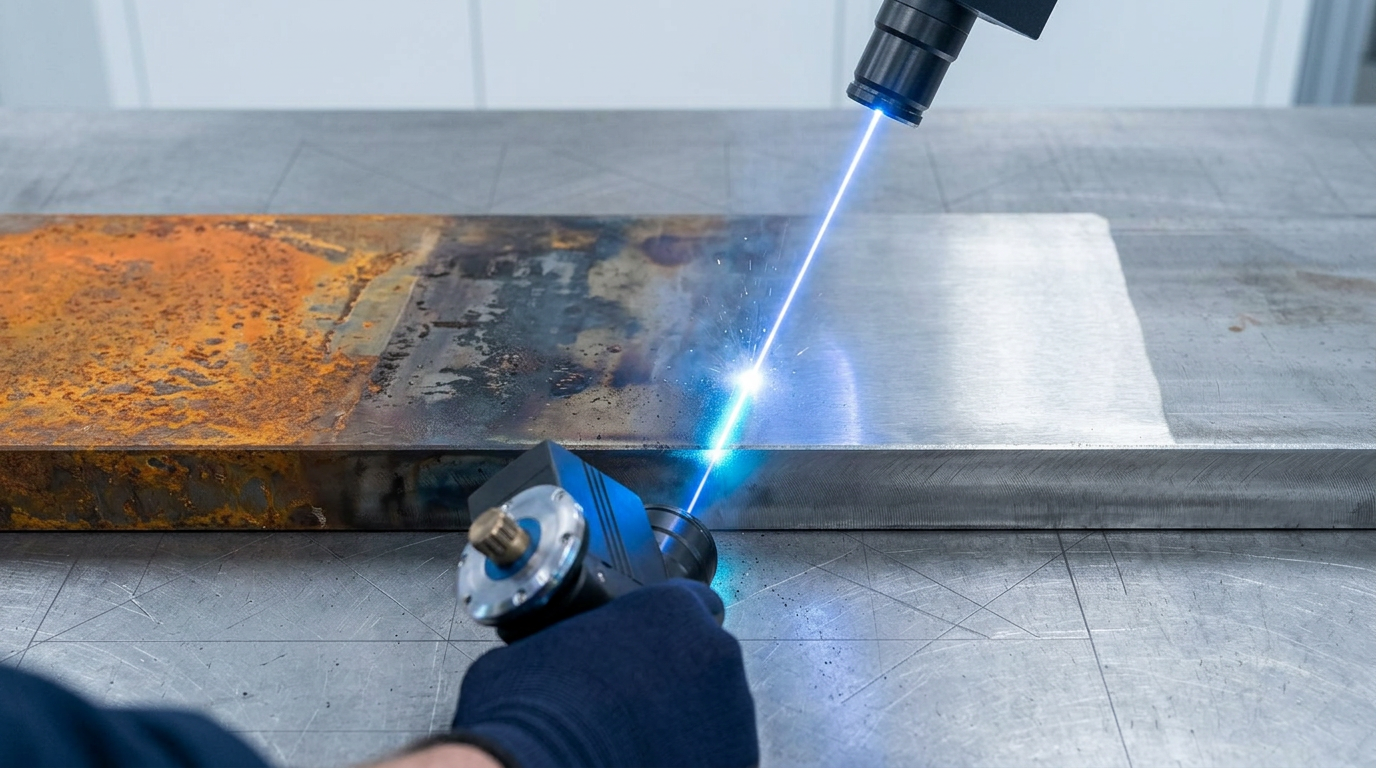
Real surfaces rarely present a single, uniform contaminant. As you work across a job, you will encounter areas where the parameters set at the start of the session no longer match what is in front of you — a patch of heavier rust, a transition from steel to aluminium, or a weld seam with heat tint alongside bare metal.
When that happens, pause and adjust before continuing. Applying the wrong settings to a new contaminant or substrate is the most common source of scorching, residual contamination, and surface damage in handheld laser cleaning.
Each material has a different ablation threshold — the energy level at which it vaporises. Rust, paint, and organic contamination all ablate at lower thresholds than the base metals beneath them. This selectivity is what allows you to remove a contaminant without damaging the substrate: tune the beam energy to sit above the contaminant's threshold and below the substrate's, and the laser does the discrimination for you.
The table below gives you the directional adjustments for each contaminant type you are likely to encounter, using the parameter axes — power, scan speed, and pass count — already established in Step 2.
| Contaminant | Power direction | Scan speed | Passes |
|---|---|---|---|
| Light surface rust | Low to moderate | Normal | Single pass usually sufficient |
| Heavy rust | Moderate to higher | Normal to slower | Multiple passes may be needed |
| Paint / powder coating | Start low, step up gradually | Normal | Multiple passes for thick layers |
| Mill scale | Higher | Slower than normal | Multiple passes expected |
| Oil and grease | Low | Normal to faster | Single pass usually sufficient |
| Weld heat tint | Moderate | Normal | Single pass; avoid overshooting onto bare metal |
A scannable reference the operator can consult mid-job when encountering a new contaminant type. Comparing five contaminants across three parameter axes is clearer in a table than in prose.
Rust sits at a lower ablation threshold than the base metal beneath it, so the beam can be tuned to vaporise the rust layer while the energy disperses before reaching the steel below. Light surface rust clears quickly at modest settings; heavier rust grades may need higher power or additional passes rather than a slower sweep.
Paint and powder coating require a progressive approach. Start conservatively — especially on thin substrates where the margin between coating removal and substrate scorching is narrow. Build up passes rather than pushing power, and let each pass do its share of the work.
Mill scale is one of the harder contaminants to remove. Accept that it needs higher power and slower movement, which means lower area coverage per minute than lighter contaminants. Do not try to compensate by increasing speed — you will leave residue and create uneven results.
Oil and grease are typically the easiest contaminants to clear. Organic material vaporises readily, so low power with a higher repetition rate is the right combination. Over-powering is the main risk here: excess energy scorches the substrate surface that was never the target.
Weld heat tint lifts quickly at moderate settings. Keep the beam focused on the discoloured zone and watch the boundary carefully — the adjacent base metal responds differently and you do not want to overshoot onto clean steel.
Substrate Considerations: Aluminium and Copper
When the substrate changes from steel to aluminium or copper, reduce power and increase scan speed before continuing. Both metals have lower ablation thresholds than steel, making them significantly more vulnerable to surface damage from settings that would be routine on mild steel.
Before committing to the full surface on either material, run a test pass on an inconspicuous area and inspect the result. This is not an optional precaution — it is the professional standard for any sensitive substrate.
Once you have made any parameter adjustment, verify the response on a small area before continuing across the surface. The adjusted area should behave consistently with your test pass result: no unexpected colour change, no pitting, and no residual contamination. If the response matches, the adjustment is correct and you can proceed.
Step 6
Manage Operator Fatigue During the Session
Key Insights
Take breaks before fatigue sets in, not after.
Reposition your body — don't extend the arm.
Drifting standoff or speed signals fatigue.
Test pass after a break confirms technique.
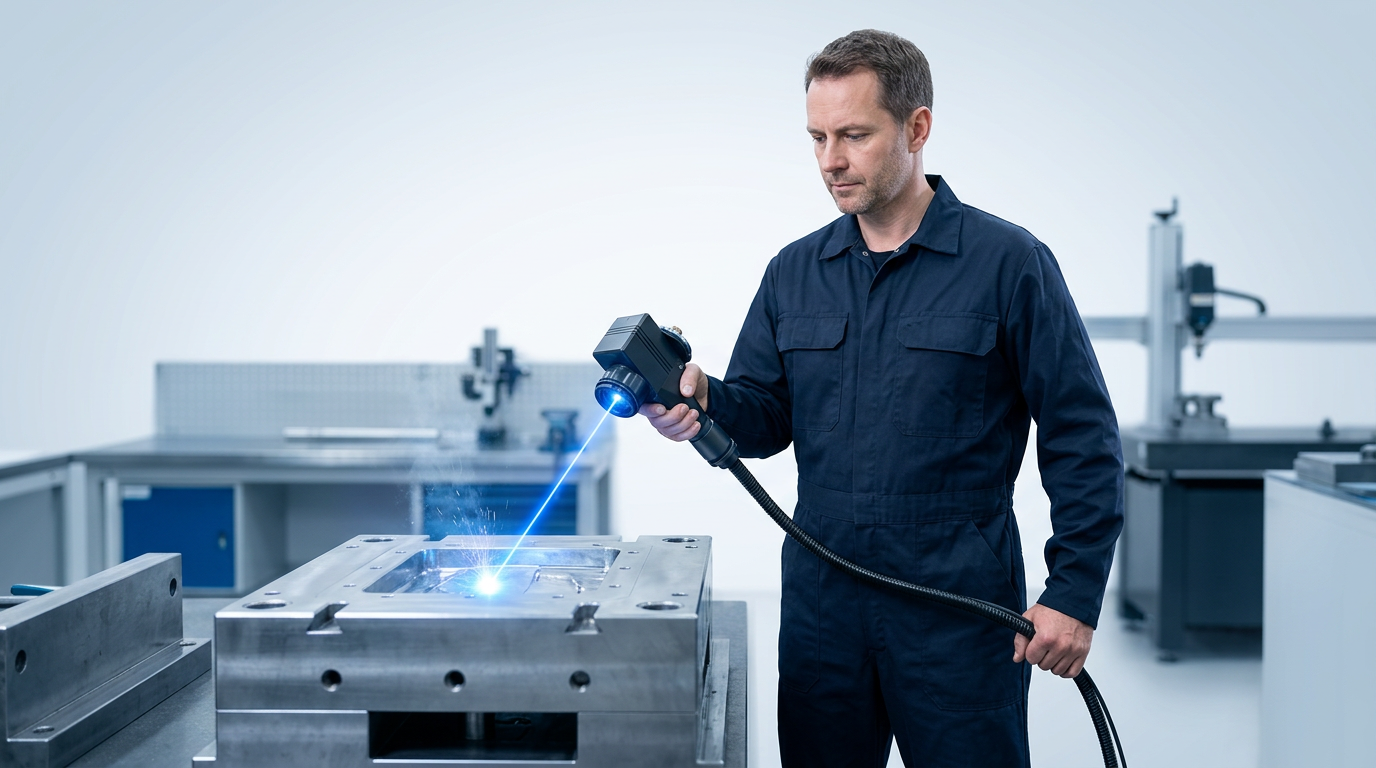
With settings dialled in from Step 5, the quality of the work from this point depends as much on how you manage your body as on how the machine is configured. Handheld laser cleaning is continuous physical work: sustained grip, repetitive arm movement, and often constrained positioning all accumulate load on the upper limbs in ways that gradually degrade technique.
The critical point is that fatigue affects quality before you feel tired. Standoff distance starts drifting, movement speed becomes uneven within a pass, and straight paths begin to wander — all while the operator feels broadly fine. Recognising these signals as fatigue cues, not just minor inconsistencies, is what separates a professional approach from a reactive one.
Proactive pacing — short, scheduled rest breaks during a session — is more effective than waiting until you feel tired. By the time fatigue is felt, technique has often already degraded. Plan breaks at regular intervals and treat them as part of the job, not an interruption to it.
Watch for these specific signs that fatigue is affecting your work, and treat any one of them as a cue to pause:
- Inconsistent standoff distance: The scanner begins drifting closer or further from the surface between passes, rather than holding a steady working gap.
- Varying movement speed: Hand speed speeds up or slows down within a single pass, rather than maintaining the even pace set at the start of the session.
- Drifting pass alignment: Difficulty keeping passes straight or parallel — lines begin to curve or overlap unevenly without deliberate correction.
- Increased grip pressure: Gripping the handpiece harder than necessary to maintain control, which accelerates fatigue further and reduces fine motor precision.
Body positioning is the first line of defence against cumulative load. Keep the working elbow close to the body throughout the session — extended reaches are a primary driver of upper limb fatigue. When a section of the workpiece requires a reach, reposition your body to bring the work back within comfortable range rather than extending the arm.
Where the workpiece geometry allows, support the forearm or wrist against a stable surface or brace it against your body. Even a sub-3 kg scanner creates significant cumulative load when held fully unsupported for extended periods — using available support is technique, not compromise.
Pay attention to the delivery cable. If it is allowed to drag or create tension through the handpiece, it adds hidden load to your grip. Periodically lay the cable back toward the machine to keep slack near the scanner, and reposition it before it begins pulling.
Where multiple operators are available, rotate the handheld cleaning task between them. Sharing the work reduces cumulative exposure per person and keeps technique sharper across the full duration of the job — a practical consideration for supervisors managing longer sessions.
After returning from any break, run a brief test pass on the workpiece and compare the result to the work done before the break. Consistent quality confirms that technique has been re-established and the session can continue. This is a technique check, distinct from the full surface inspection that follows in Step 7.
Step 7
Verify the Surface Is Clean
Key Insights
Check visually and by touch before finishing.
Surface bluing is heat effect, not contamination.
Inspect after each pass before adding another.
With your passes complete, resist the instinct to call the job done on sight alone. A structured inspection takes under a minute and is the only reliable way to confirm the clean was effective rather than assuming it was.
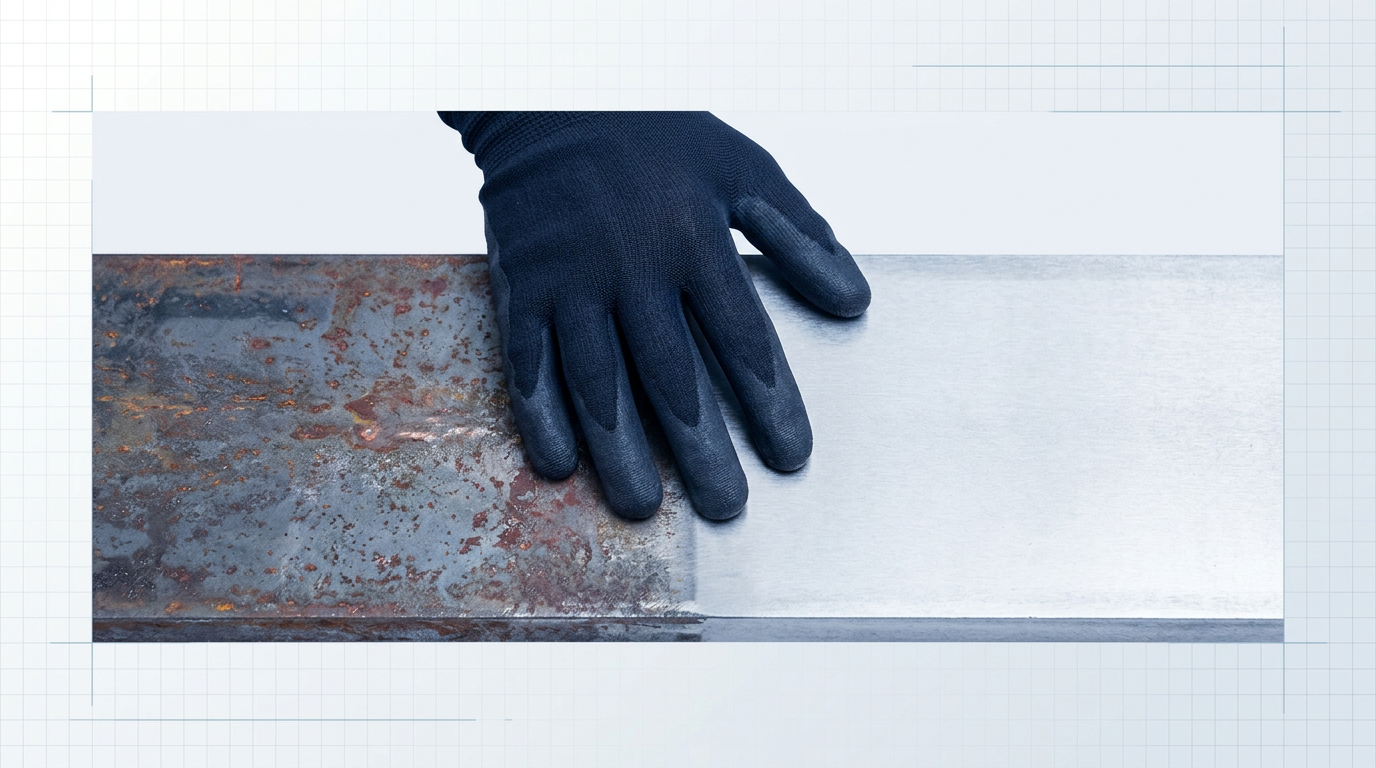
Start with a visual scan across the entire cleaned zone. The appearance of a correctly cleaned surface varies by contaminant: rust removal exposes bright or matte bare metal, paint removal reveals the underlying substrate, and mill scale removal produces a noticeably lighter, more uniform surface. In every case, the cleaned area should look visibly distinct from any surrounding uncleaned material — scan for that contrast and for uniformity within the boundary you worked.
- Rust removal: Reveals bright or matte bare metal — the surface loses its reddish-brown colouration entirely within the cleaned zone.
- Paint removal: Exposes the underlying substrate uniformly — no paint film, lifting, or colour variation should remain within the cleaned area.
- Mill scale removal: Produces a lighter, more consistent surface tone — the dark, rolled-on scale layer is gone and the metal beneath reads as a single even shade.
Follow the visual check with a tactile pass: run a gloved hand slowly across the cleaned surface. A properly cleaned area feels smooth and consistent. Residual rust tends to feel slightly rougher than bare metal; oil residue can feel faintly tacky. This secondary check is particularly useful in low-light conditions where visual assessment alone is harder to trust.
If you find dark patches, streaking, or areas of unchanged appearance within a zone you believed you had cleaned, treat these as failure signals rather than cosmetic variation. They indicate missed passes, insufficient overlap, or inadequate power for that specific area. Mark those spots and run a targeted additional pass before moving on.
Laser ablation can produce slight surface darkening or a blue-grey tint on certain metals — this is a thermal effect on the base material itself, not a sign that contamination remains. If the discolouration is uniform, sits within the cleaned zone, and passes the tactile check, it is a surface effect from the heat interaction, not a cleaning failure. You will recognise this pattern from the substrate sensitivity work covered in Step 5.
Apply the same logic before committing to any additional pass: inspect first, then decide. Over-processing a surface that is already clean wastes time and can affect the substrate. An extra pass is only warranted when the inspection gives you a concrete reason for it.
The job is done when the cleaned zone is uniform in both appearance and texture, with no visible transition between cleaned and uncleaned areas within your intended boundary. That uniformity is the confirmation signal — when you have it, you are ready to move to Step 8.
Step 8
Post-Cleaning Checks and Shutdown
Key Insights
Inspect the lens window after every session.
Log off the touchscreen before leaving the machine.
Shut down via touchscreen before disconnecting cable.
Coil the delivery cable without tight bends.
With the surface confirmed clean in Step 7, the job itself is done — but the session is not. The checks you run now protect the machine's performance on every subsequent use and keep your usage record accurate.
Inspect the Lens Protection Window
Remove the scanner head and examine the lens protection window for three things: contamination (ablation debris or smoke residue on the surface), pitting (small craters from reflected energy or debris impact), and crazing (a network of fine surface cracks from heat or chemical exposure).
This is not a cosmetic check. A fouled or damaged window scatters and attenuates the beam, which means your next cleaning job starts with degraded performance before you have even pulled the trigger.
If the window is contaminated but physically undamaged, clean it using lens tissue and an optical-grade solvent, working gently with light strokes. Avoid abrasive materials and never use oil-based cleaners on optical surfaces.
If the window shows pitting or crazing, do not attempt to clean and reuse it — replace it. Lens protection windows are included and replaceable on the ELASER, so a spare should be on hand before you need one.
Log Off the Touchscreen
Navigate to the logout option on the touchscreen GUI and end your session before leaving the machine.
The ELASER's per-user login system tracks usage by operator — this data feeds maintenance scheduling, accountability records, and usage auditing. Those records are only accurate if every operator logs out correctly at the end of their session.
A session left open also means the next person to pick up the scanner operates under your credentials. That is both an access-control gap and a safety concern that the password-protected login system is specifically designed to prevent.
Shut Down and Disconnect in the Right Order
Follow this sequence precisely — order matters here.
- Power down via the touchscreen: Use the touchscreen interface to initiate the shutdown sequence. Wait for the unit to confirm it has powered down before touching the cable.
- Disconnect the delivery cable: Only once the unit is fully powered down, disconnect the delivery cable from the machine. Disconnecting while the unit is still powered risks connector damage.
Stow the delivery cable by coiling it loosely, following its natural bend radius. Fibre-optic cables have a minimum bending radius that, if repeatedly violated, damages the fibre internally — tight coiling shortens the cable's service life without any visible external sign of the damage being done.
Store the scanner head safely: do not leave it resting on the lens aperture or in a position where it could be knocked. It is a precision optical instrument and should be treated as one.
Clear the Work Area
Remove ablation debris and clear fume extractor waste from the work area in line with your site's waste-handling procedures.
Depending on what was cleaned, the particulate collected may include lead paint residue, heavy metal oxides, or other hazardous materials. Check your site procedures for the correct disposal route — this is a real compliance obligation, not an optional tidy-up.
The machine is powered down. The lens protection window is clean or replaced. The delivery cable is coiled and stowed without tight bends. The scanner head is secured. Your session is logged off the touchscreen. The work area is cleared.
Ready to Put the Process Into Practice?
You have the operational discipline. Now explore the ELASER product page, or speak with an expert about your specific cleaning application.

Conclusion
You're Ready to Operate
You now have a complete procedural foundation: from system checks and parameter configuration through to surface verification and shutdown, with the discipline of starting conservative and verifying before proceeding running through every stage.
That methodical approach is not a beginner's caution to grow out of — it is the professional standard, and it is what separates consistent, precise results from ones that require rework.
For operators looking to build deeper competence, Woodrow Scientific Limited offers laser cleaning safety and operation training. For applications outside what a general tutorial can cover, WSL's in-house engineering team is the right resource to contact.
Frequently Asked Questions
Common questions operators have after running through the procedure — covering eye protection, power settings, troubleshooting, substrate compatibility, maintenance, and ventilation.
Yes — proper laser safety eyewear is mandatory for Class IV handheld laser cleaning operation. Per OSHA guidance, the use of laser protective eyewear is mandatory with Class IV lasers. Eyewear must be matched to the machine's operating wavelength and carry a sufficient optical density (OD) rating for the power level in use. Generic tinted safety glasses are not adequate. Wavelength-matching means the eyewear's filter must block the specific wavelength the laser emits — not just visible light. An infrared laser, for instance, emits radiation the eye cannot detect, so clear or lightly tinted lenses offer no protection. OD rating is a logarithmic scale: the higher the value, the greater the attenuation of the beam at that wavelength. All laser protective eyewear should be clearly labelled with the OD value and the wavelength for which protection is afforded. The ELASER-RHZ variant uses reduced hazard zone technology that shrinks the area requiring access controls and enables use in more open environments — but this does not remove the operator's own PPE requirement. The operator still wears appropriate eyewear; the RHZ benefit applies to the surrounding area, not the operator's own exposure.
There is no single correct starting figure. The right approach is always to start at a low power setting, test on an inconspicuous area of the workpiece, observe the result, and increase only if the contaminant has not lifted. The contaminant type is your primary guide for framing the power spectrum. Light oxides, oil, and grease have lower ablation thresholds and lift at more conservative settings. Thick rust, mill scale, and heavy paint require progressively higher power to break the molecular bonds holding them to the substrate. The substrate material also matters: aluminium and copper have lower ablation thresholds than steel, so they demand more conservative settings to avoid damaging the base material. Starting low and stepping up protects the substrate — when parameters are correctly set, the beam energy exceeds the contaminant's ablation threshold while remaining below the base material's, so the beam effectively stops at the surface you want to keep.
The most likely causes are inconsistent hand speed, insufficient overlap between adjacent passes, and standoff distance varying as you move. Each has a specific remedy. Inconsistent speed is the most common culprit: slow spots concentrate energy and can scorch the surface, while fast spots leave contaminant behind. The fix is to find a consistent rhythm on a test area before committing to the full surface. Insufficient pass overlap leaves unclean strips between adjacent passes. Adjacent passes need roughly 10–20% overlap of the scan width — if streaks appear between passes, increase overlap on the next run. Standoff distance variation occurs when the arm drifts closer or further from the surface during a pass, taking the beam in and out of focus and producing a striped or uneven result. The fix is to maintain a stable working position, keeping the elbow close to the body rather than using extended-arm movement, and repositioning the whole body as you work across larger surfaces.
Yes — handheld laser cleaning works on both aluminium and copper, but these materials require more conservative parameter settings than steel. The reason comes down to ablation thresholds. Every material has an energy threshold at which it begins to ablate. The goal is to exceed the contaminant's threshold while staying below the base material's threshold. Aluminium and copper have lower ablation thresholds than steel, so the margin between removing the contaminant and affecting the substrate is smaller. The practical implication: reduce power and increase scan speed compared to your steel settings, and always perform a test pass on a low-visibility area before committing to the full surface. If the surface shows any signs of discolouration or pitting on the base material during the test pass, reduce power further before continuing. Machines with fully tuneable power output make this incremental adjustment straightforward — dial down, test, and proceed only when the test result is clean.
Inspect the lens protection window after every cleaning session. Clean it whenever contamination is visible; replace it immediately if it is pitted, crazed, or scratched. The protection window sits directly in the beam path. Any contamination or damage degrades beam quality, reducing cleaning performance and producing inconsistent results across the surface. A fouled window does not just reduce efficiency — it can create hotspots in the beam pattern that may damage the substrate or the optics behind the window. For cleaning, follow the manufacturer's guidance: use a lint-free cloth with a suitable lens solvent, handle gently, and never use abrasive or oil-based cleaners. Lens protection windows are replaceable consumable components — a damaged window should not be used, even temporarily, while waiting for a replacement. Keeping a spare on hand avoids unplanned downtime.
A clean surface shows a visible and consistent change in appearance compared to the contaminated area. Use both visual and tactile checks to confirm. Visually: rust removal reveals bright or matte bare metal; paint removal reveals the substrate beneath; mill scale removal produces a lighter, more uniform surface. The cleaned area should look uniform with no dark patches, streaking, or unchanged zones within the intended cleaning boundary. Tactilely: run a gloved hand across the surface. A cleaned surface feels smooth and consistent; residual contamination often has a different texture — rougher for rust, slightly tacky for oil residue. One important distinction: slight darkening or surface bluing from laser-induced heat is not residual contamination. It is a thermal effect on the base material. Before starting any job, understand what the expected post-clean appearance should look like for the specific contaminant and substrate — that baseline makes the final verification straightforward.
Local exhaust ventilation (LEV) positioned close to the point of ablation is the primary control measure. General room ventilation alone is not sufficient. Laser ablation vaporises the contaminant at the point of cleaning, generating airborne fumes, fine particulates, and in some cases volatile organic compounds (VOCs). General dilution ventilation disperses these contaminants throughout the room rather than capturing them at source, meaning the operator and anyone nearby remains exposed. LEV captures contaminants at the point of generation, before they disperse — CDC research confirms ventilation control is highly effective at reducing respirable particle exposure and removing gaseous contaminants including VOCs. Position the LEV extraction hood as close to the work point as geometry allows. For mobile handheld work, a flexible-arm extraction unit that can be repositioned as the operator moves is the practical solution. The contaminant type affects hazard level: removing paint, coatings, or rust from previously treated surfaces may generate particularly hazardous fumes. Consult the material safety data sheet for the contaminant being removed before starting.